Ticket Marketplace Backoffice Redesign
Background
The platform served as a trusted intermediary in event ticketing, connecting ~100 brokers with buyers through consumer-facing websites. Brokers managed inventory and pricing through the backoffice, while admins regulated compliance and handled order fulfillment. After 10+ years of incremental patches without strategic redesign, the system had accumulated significant technical debt — and the business was starting to feel it.
The Challenge
How do you modernize a mission-critical system that ~100 brokers and ~15 admins depend on daily — without breaking their workflow? The backoffice had no bulk operations, inconsistent navigation, and completion flows so unclear they generated constant support requests. Every routine task took 2–3x longer than it should. The challenge wasn't just visual — it was structural.
Overview
Senior UI/UX Designer
Solo Designer
Jun 2024 - Feb 2026 (20 months)
Event Ticketing B2B/B2C
PM, Frontend/Backend Developers, BA
My Design Process
As the sole designer, I led the complete redesign from research through implementation, working incrementally to minimize risk while delivering continuous value.
Research & Discovery
- Behavioral analytics tracked user behavior on production system
- Stakeholder interviews with Product Owners (who were also users)
- Broker focus groups testing prototypes with real users
- Analytics deep-dive analyzing heatmaps and click patterns
Users spent 5-7 minutes on tasks that should take <1 minute. 80% of users only used 3 of 15+ available filters. No bulk operations meant repetitive tasks took 50-70 minutes. Order completion flows lacked clear guidance, causing frequent errors
Ideation & Design Decisions
- Studied successful patterns (Notion's inline editing, Airtable's bulk actions).
- Sketched multiple information architecture approaches
- Prioritized high-impact workflows based on user data
- Collaborated with developers to validate technical feasibility early
Prototyping
- Created low-fidelity wireframes for stakeholder alignment
- Built high-fidelity prototypes in Figma
- Designed comprehensive flows for all user roles (Brokers, Admins, CSRs)
- Established Material UI-based design system for consistency
Testing & Validation
- Limited rollout testing: 10 beta users before full release
- PM-facilitated sessions with real brokers testing prototypes
- A/B testing for marketplace website features
- Gathered quantitative data + qualitative feedback
Task completion times were measured by comparing session recordings and production analytics before and after each release, validated with a beta group of 10 brokers over 4 weeks post-launch.
Iteration & Refinement
- Average 5-6 iterations per major feature
- Continuous refinement based on production analytics
- Incremental releases to minimize disruption
- Regular stakeholder presentations to maintain alignment
Core Workflows Redesign
Through this iterative process, I redesigned three critical workflows that represented the majority of user activity:
Tickets Listing Management Redesign

The Problem
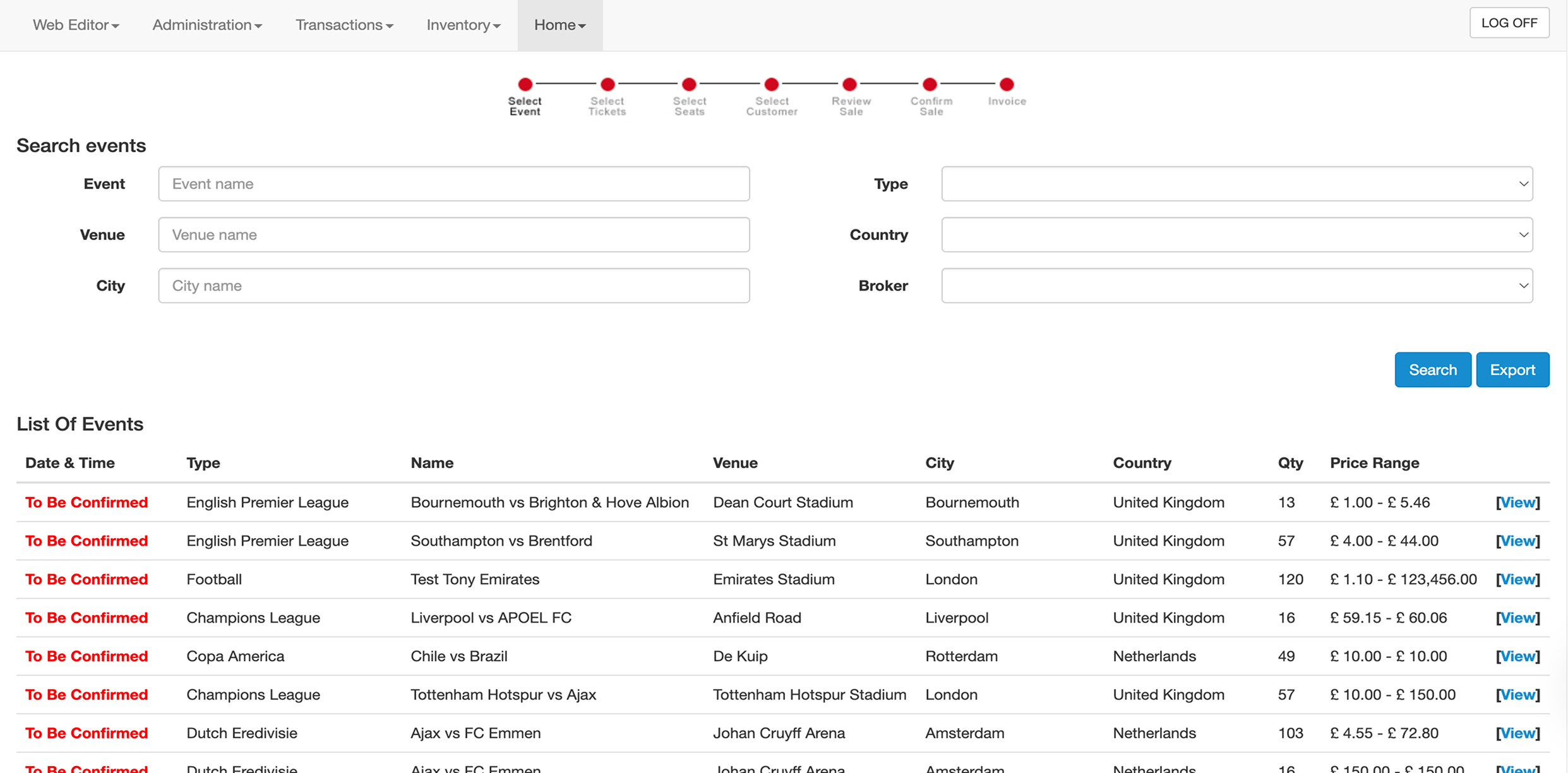
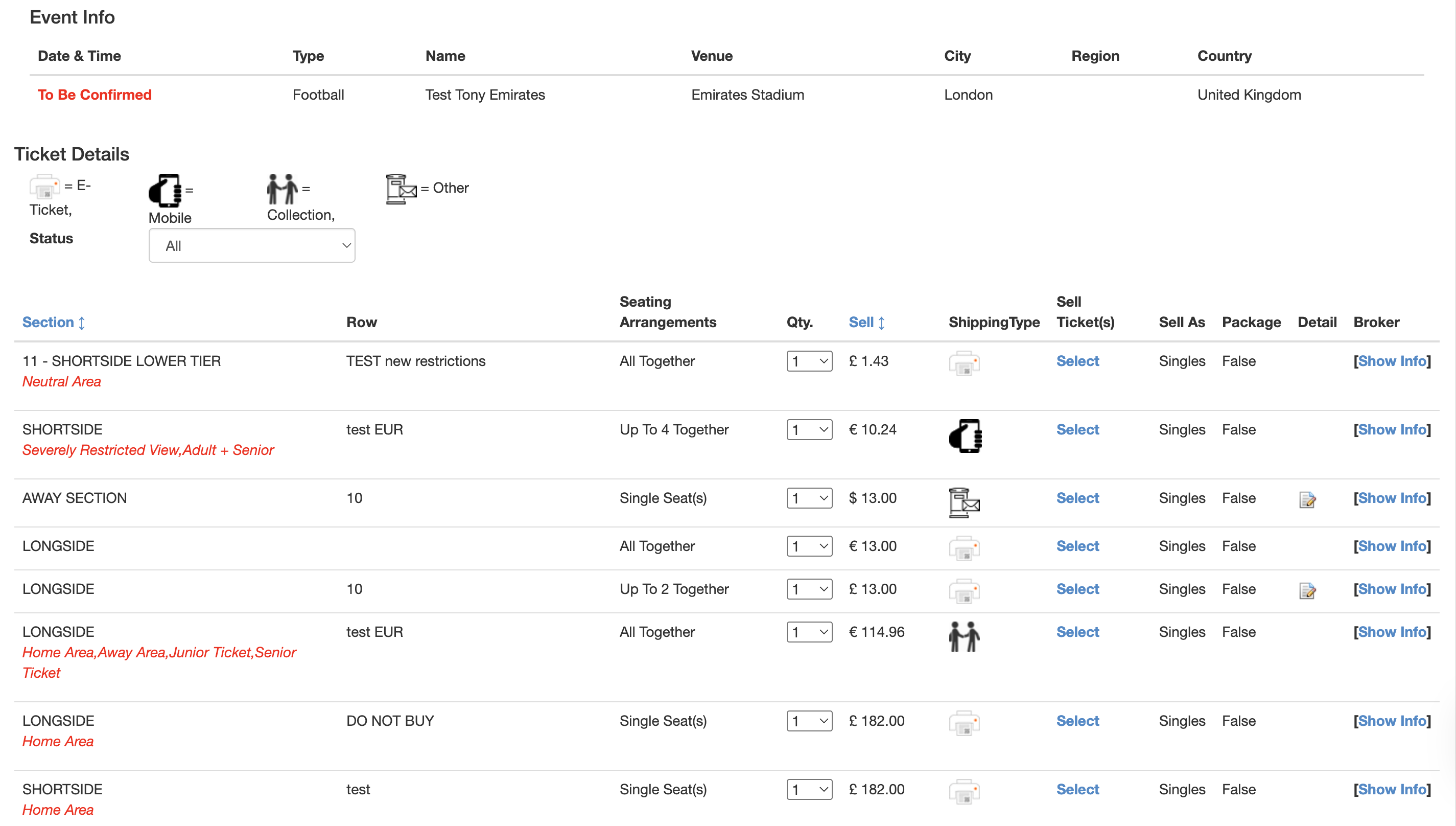
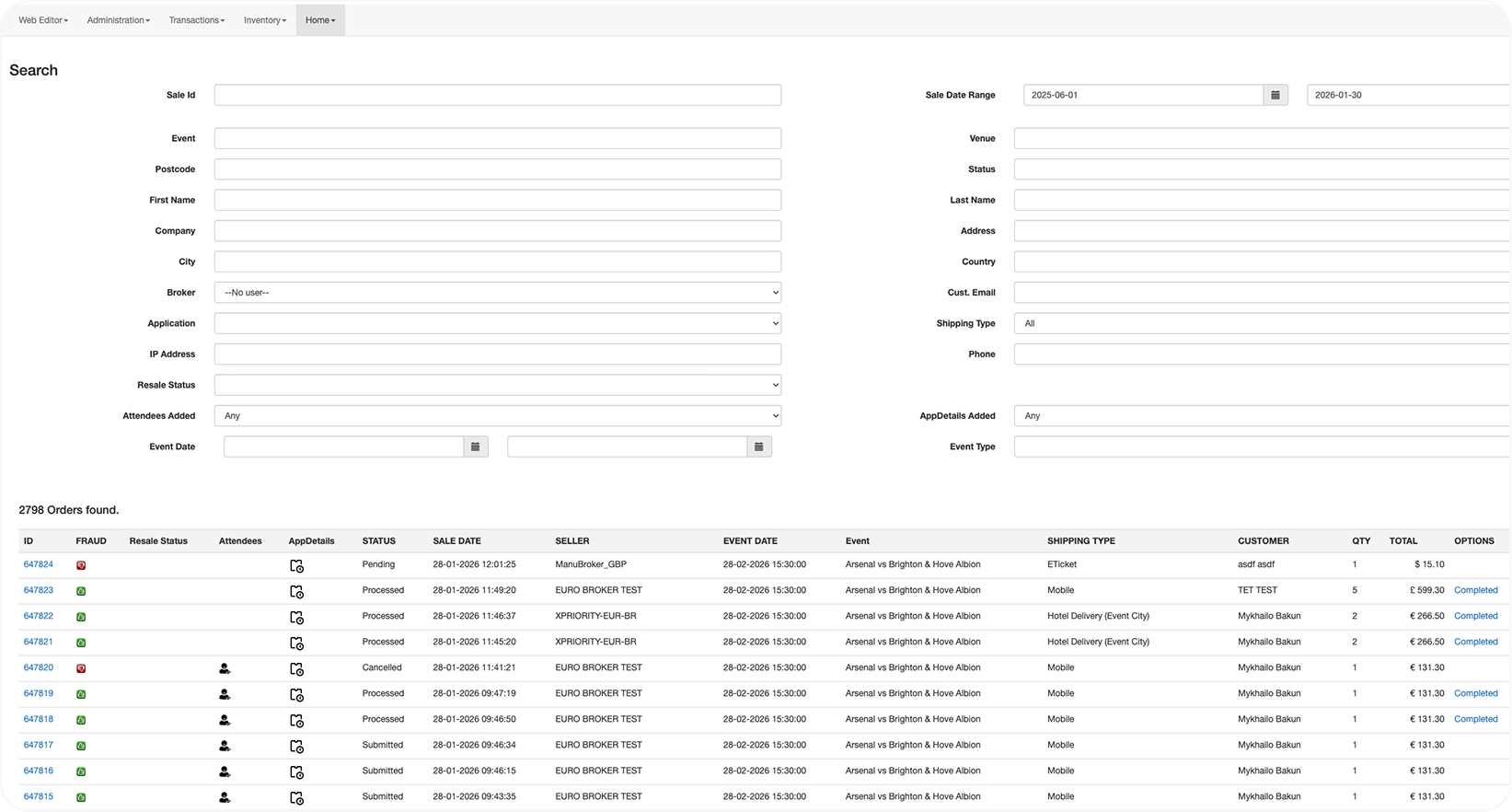
Brokers managed their primary inventory through a broken workflow: searching through 2000+ mixed results, navigating multiple pages, and editing listings one at a time.


My Solution
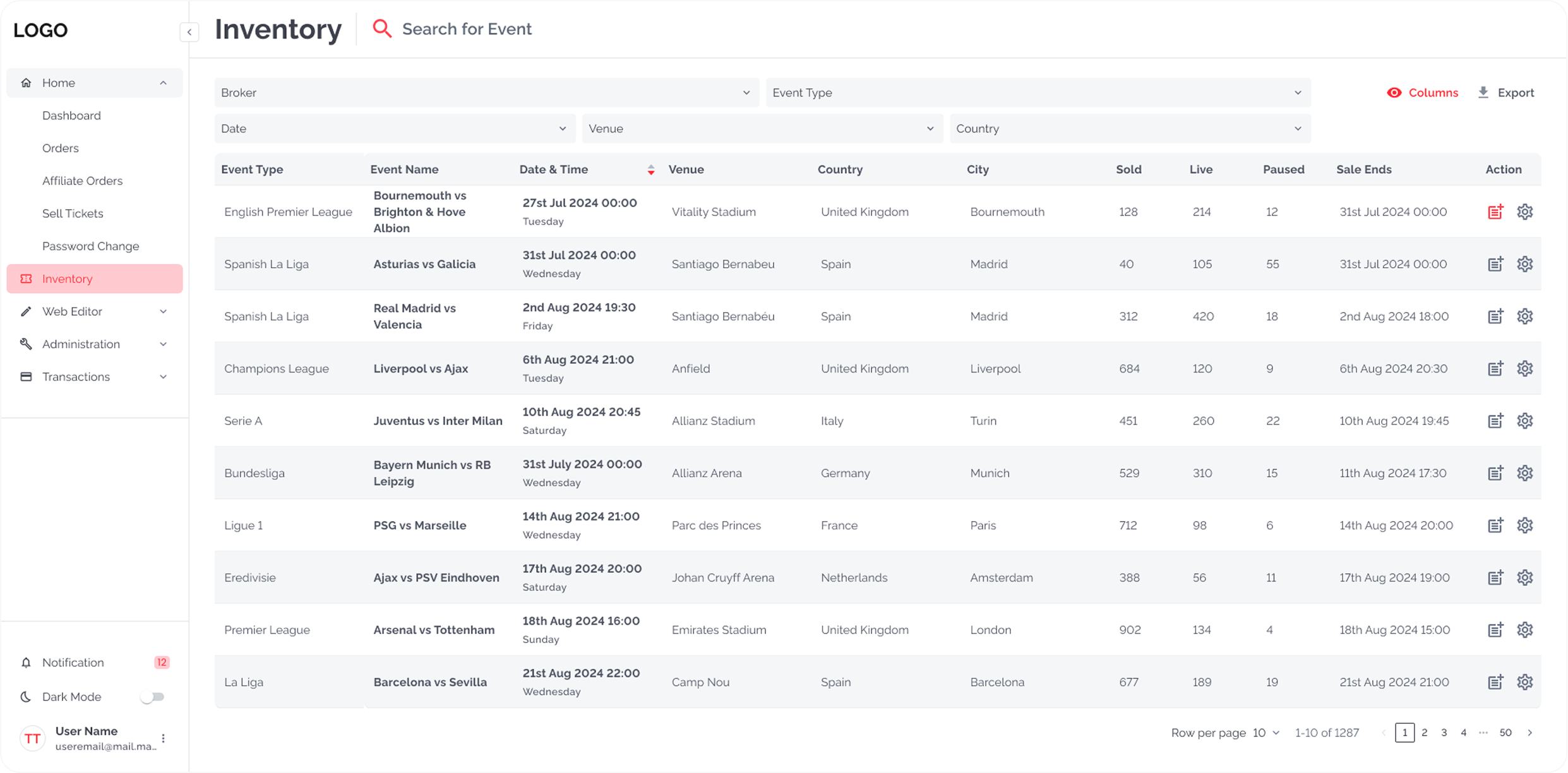
- Redesigned information architecture: Event Overview → Manage Tickets → Flexible Editing
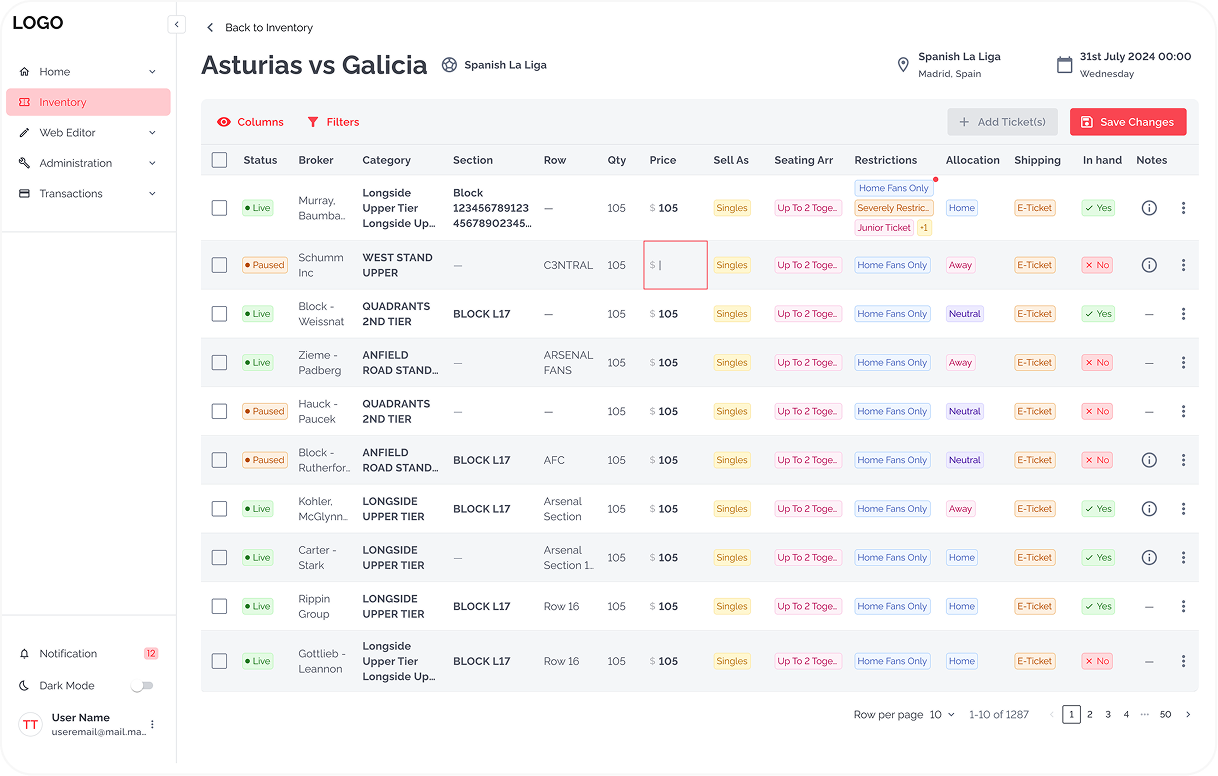
- Introduced inline editing for quick updates
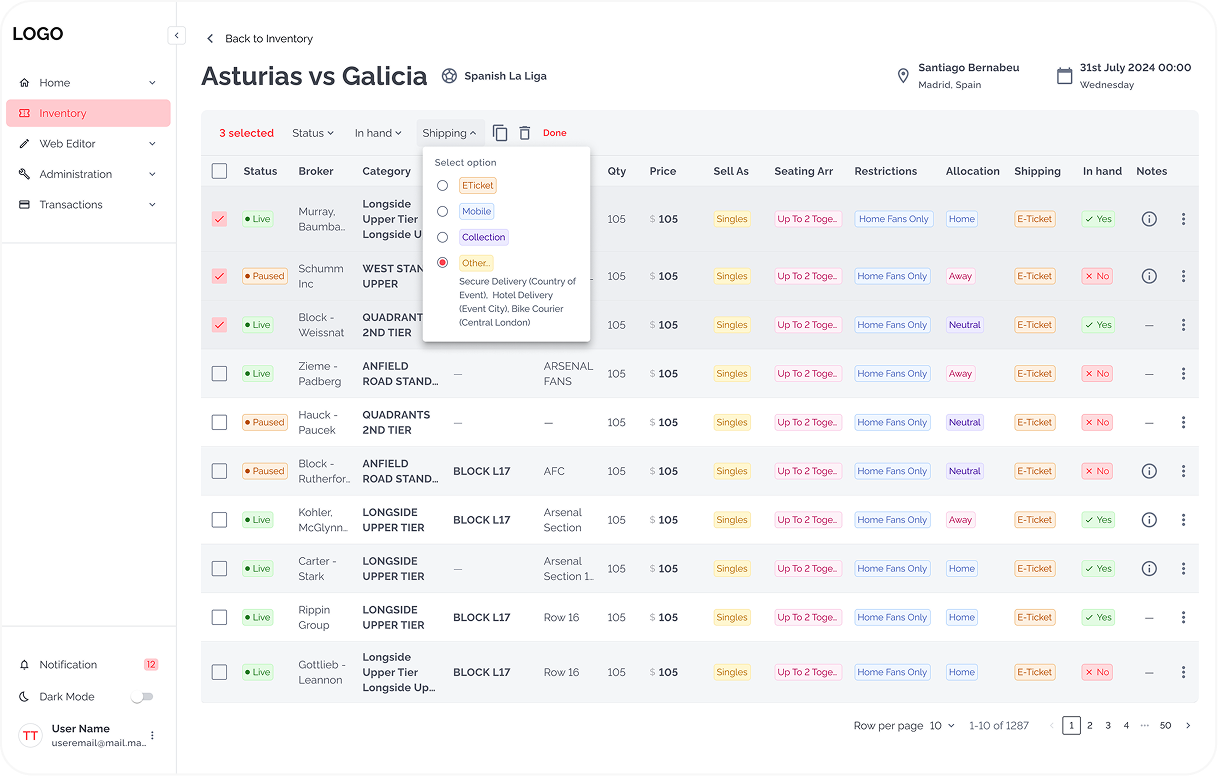
- Added bulk actions for managing multiple listings simultaneously
Inventory
Manage Tickets
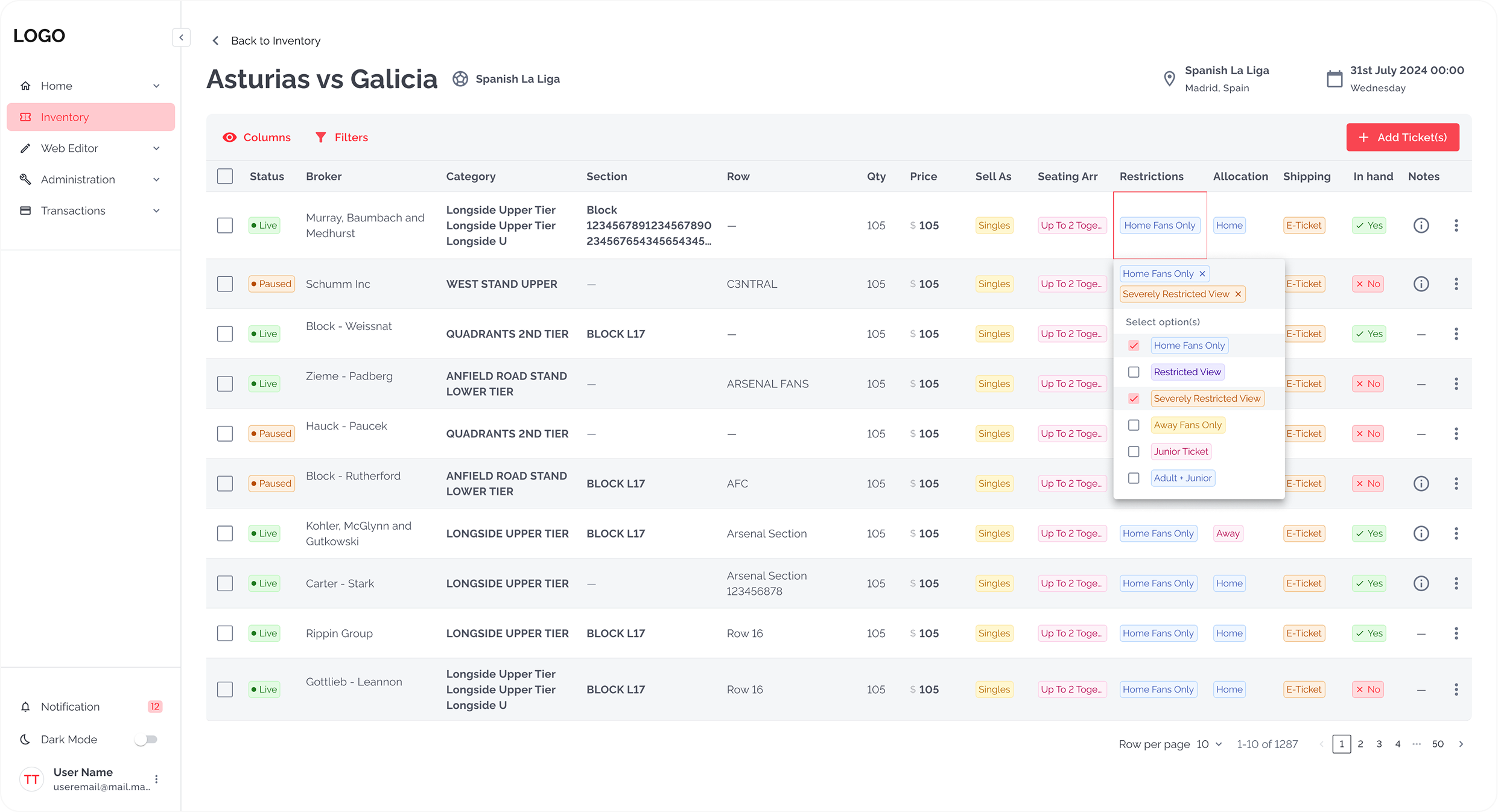
Bulk actions and Inline editing
Old Flow
Click on image to zoom
New Flow
Click on image to zoom
Redesigned UI Impact
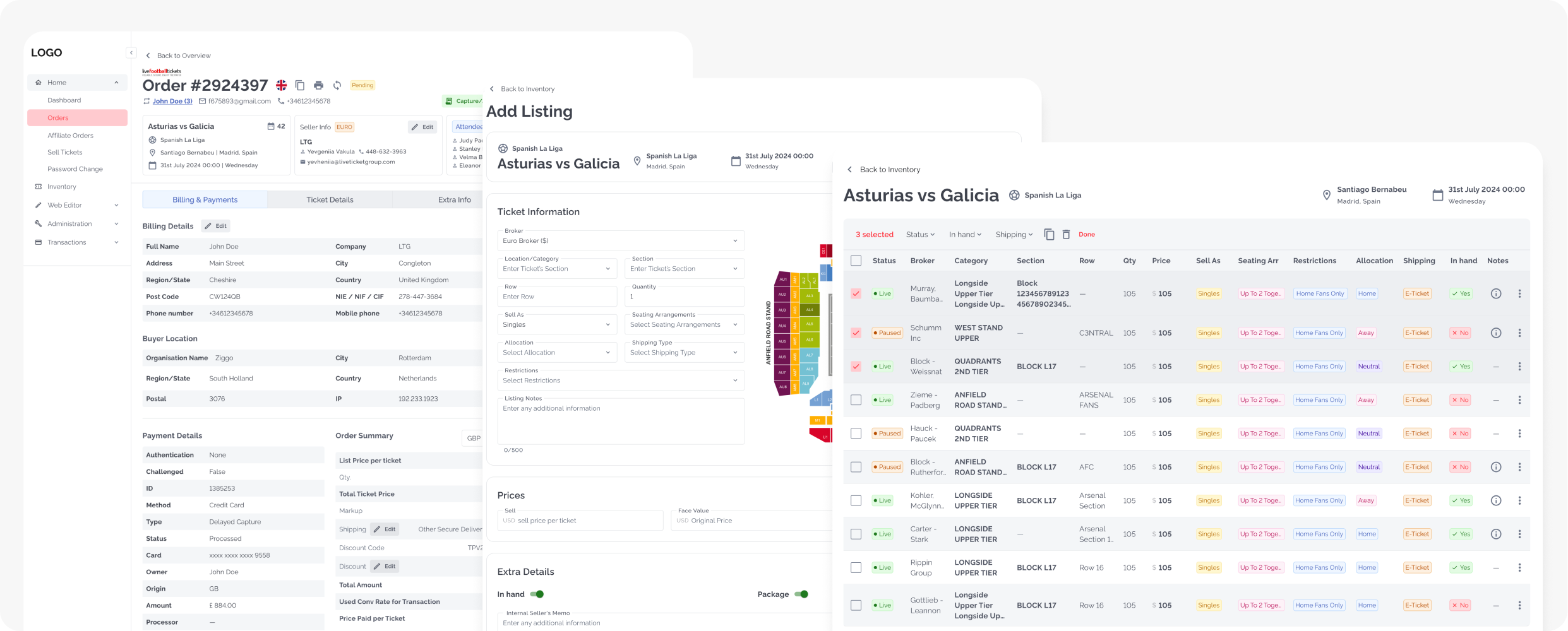
Orders Overview & Inline Actions
The Problem
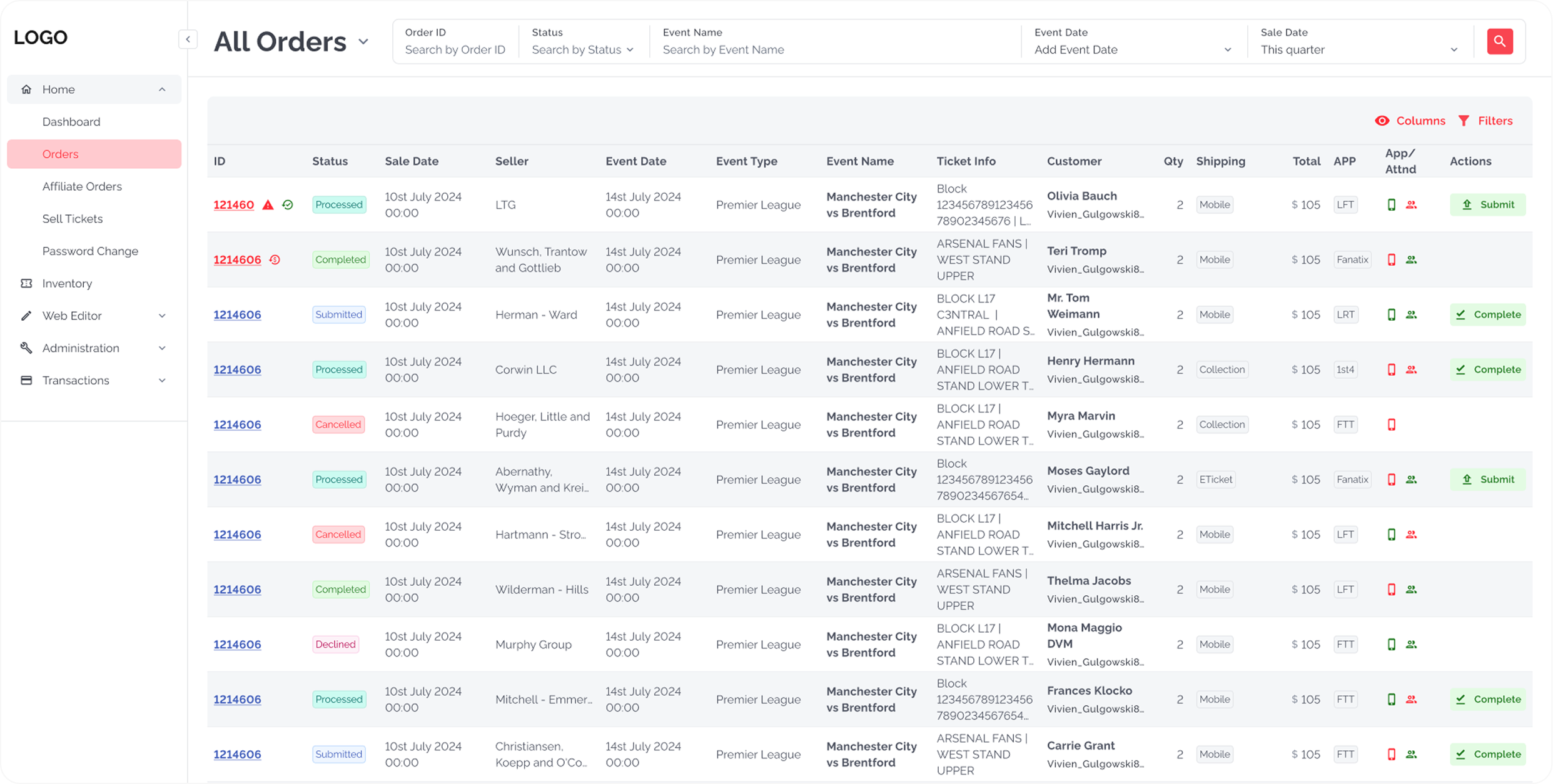
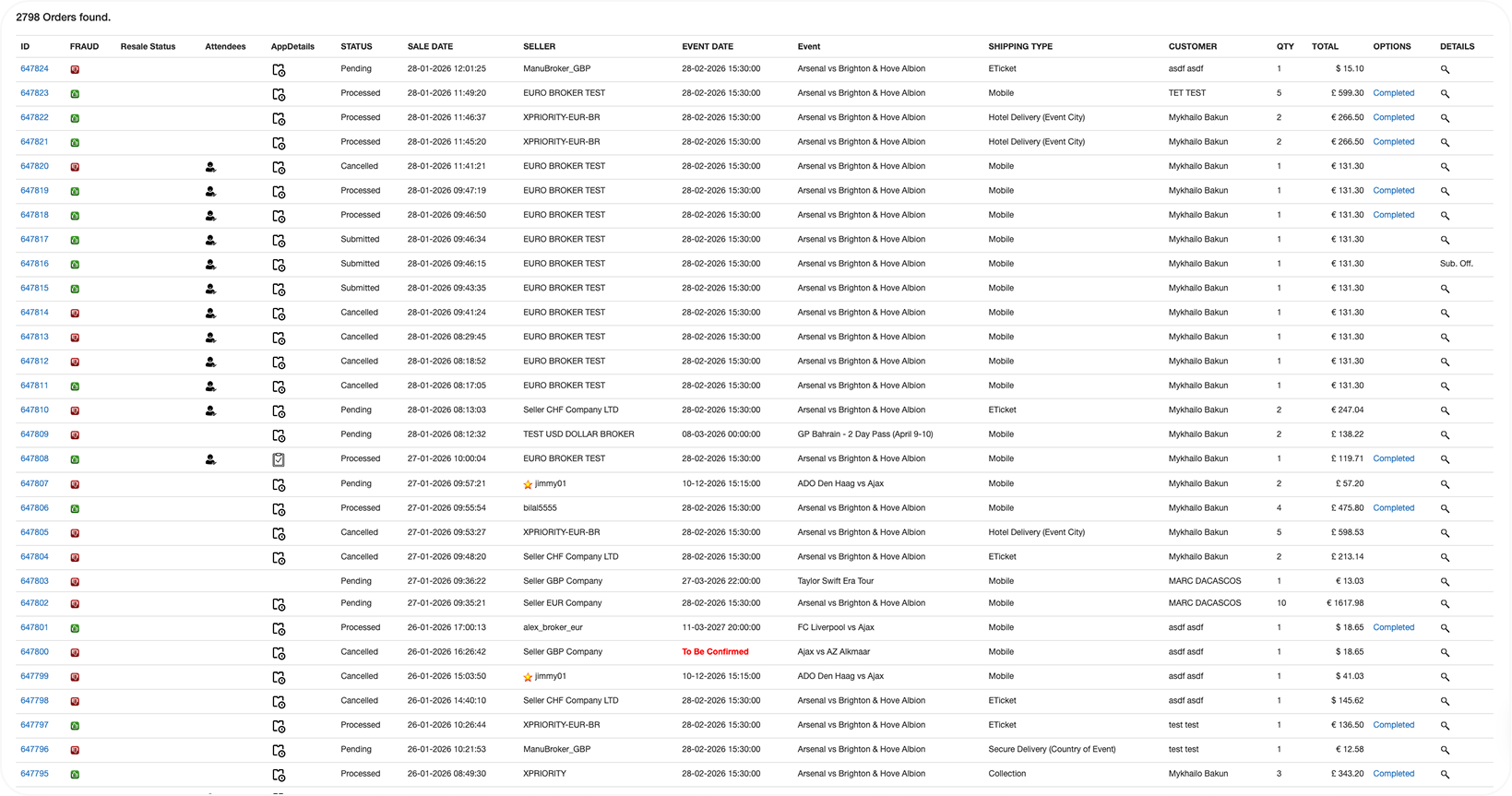
Finding orders required multiple searches through 20 filter fields. Users had to navigate to detail pages for every action, breaking their workflow.
My Solution
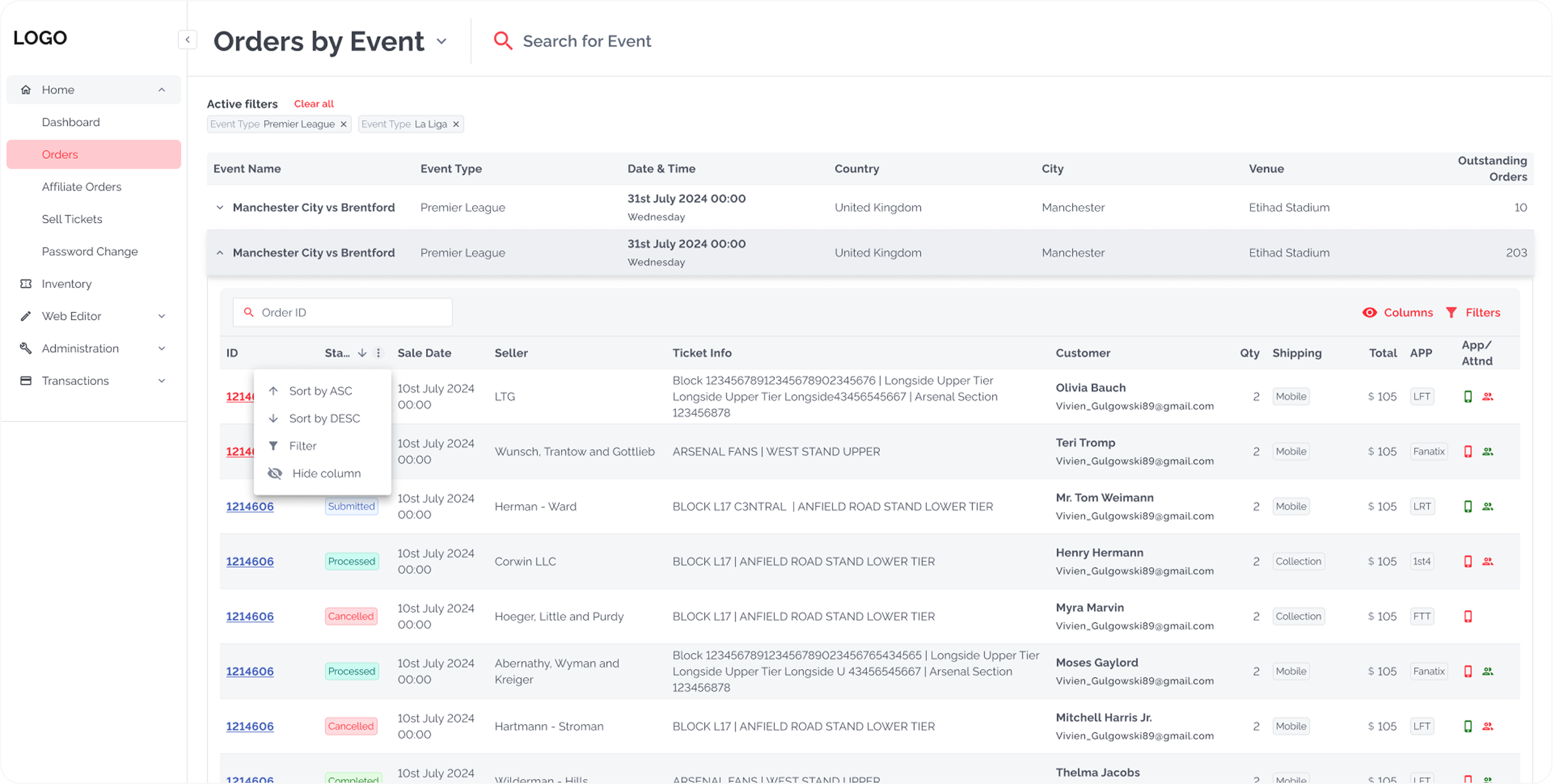
- Created dual-view system: All Orders (chronological) + Event View (grouped by event)
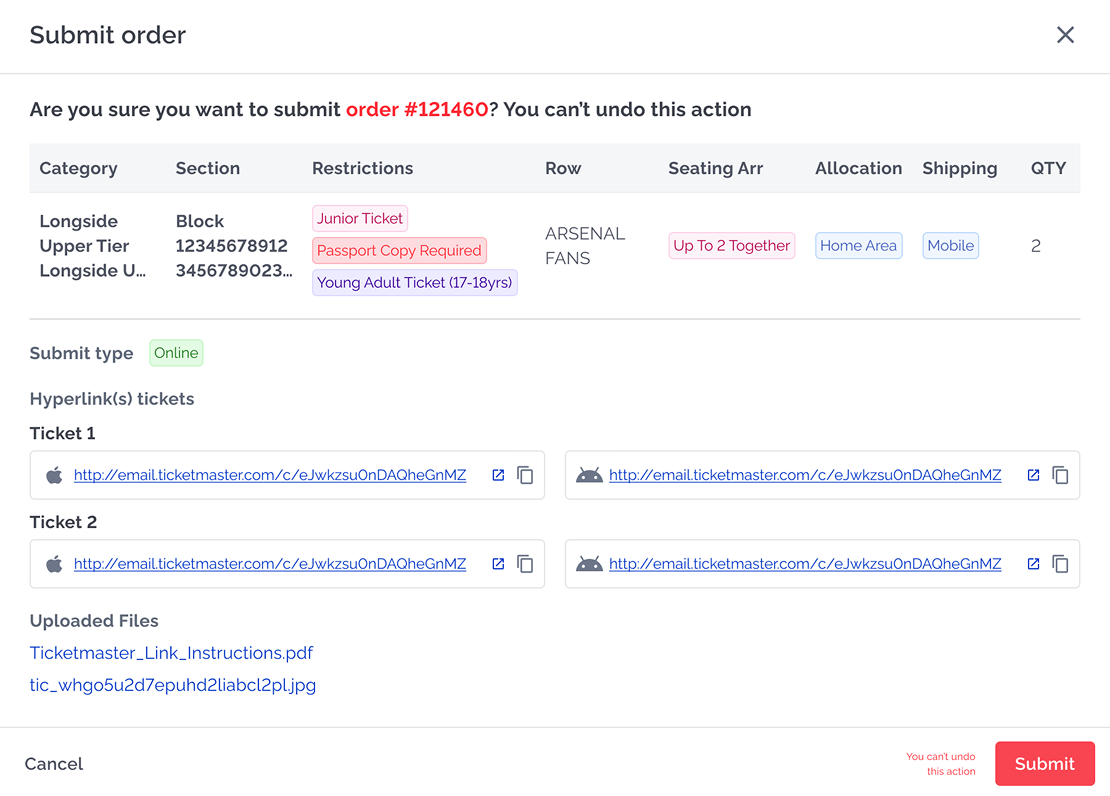
- Added Actions column with role-based buttons (Submit, Approve, Complete)
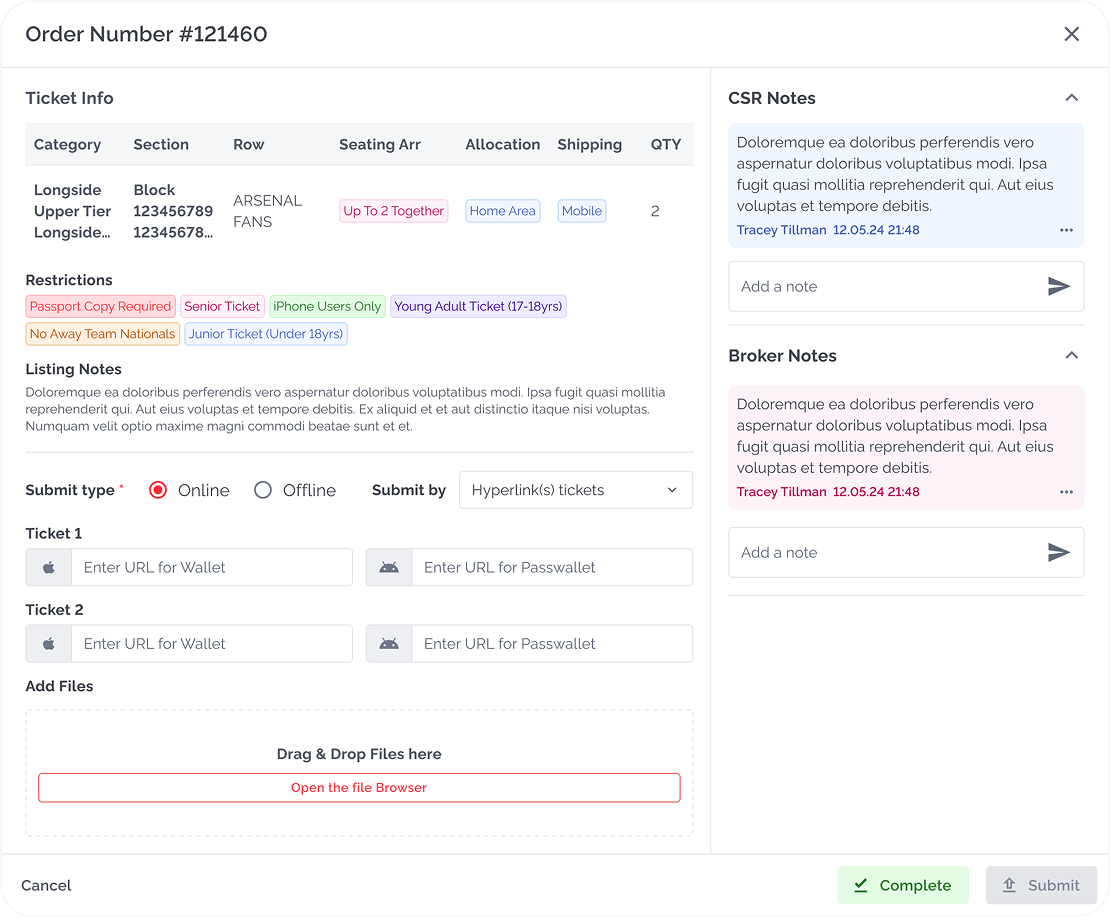
- Enabled actions via modal workflows without leaving the table
Orders Overview / All Orders
Orders Overview / Orders by Events
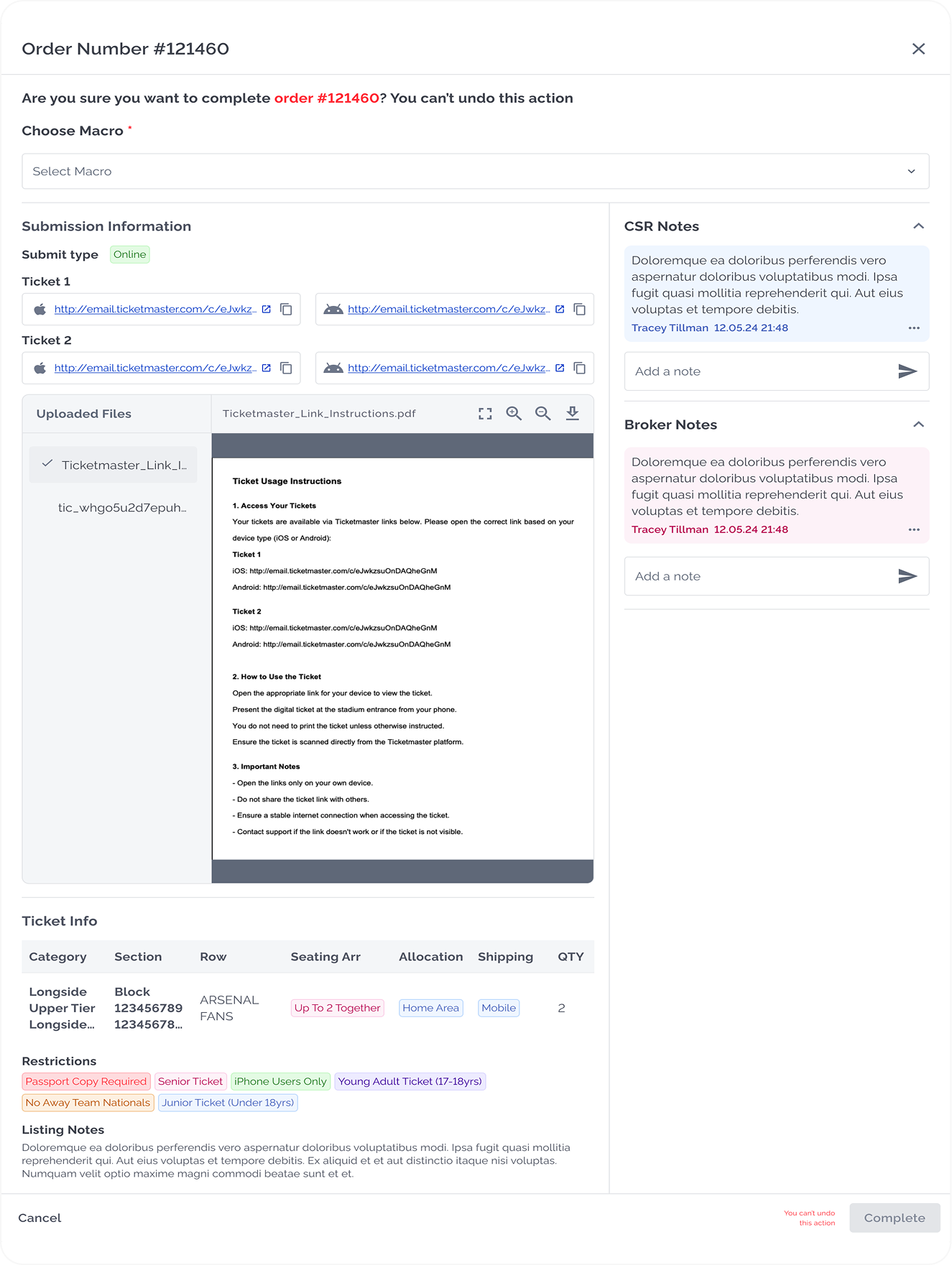
Modals for Complete Order Flow
Old Flow
Click on image to zoom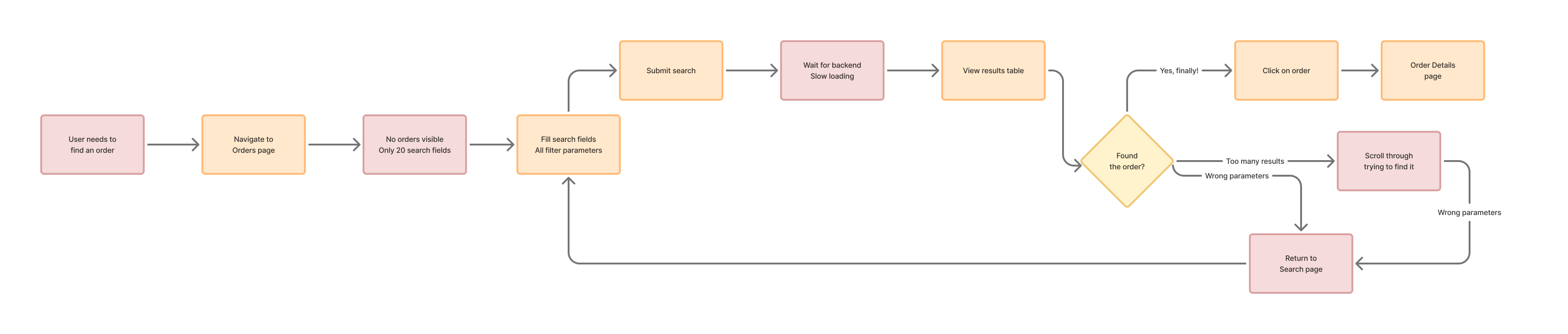
New Flow
Click on image to zoom
Redesigned UI Impact
Order Completion Flow Redesign
The Problem
Completion process was confusing, lacked reject workflow, and prevented admins from editing submissions. Order details page had no visual hierarchy, making it hard to understand status and requirements.
My Solution
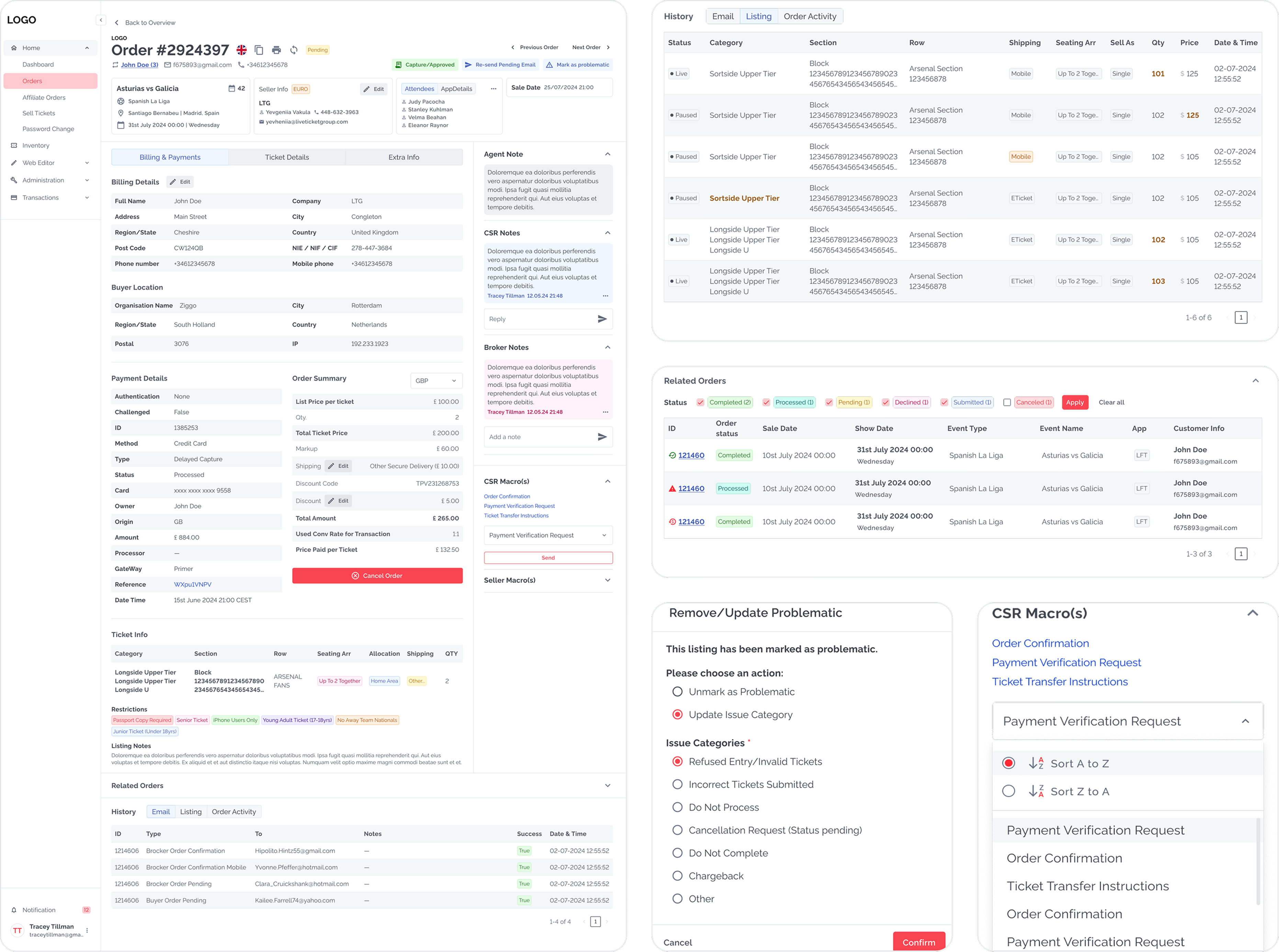
- Redesigned page with clear visual hierarchy: organized tabs, sections, and action buttons
- Created comprehensive completion flows for all shipping types (Mobile, ETicket, Collection, etc.)
- Added online/offline submission options
- Implemented reject flow with editing capabilities for admins
- Added modal confirmations to prevent errors
- Integrated automated macros for buyer communications
Order Details Page — Billing & Payments
*Due to the presence of sensitive information and real user data, I'm unable to display the "before" version of this flow in my portfolio
Order Complete flow —Shipping Type Mobile (most popular use case)
*Due to the presence of sensitive information and real user data, I'm unable to display the "before" version of this flow in my portfolio
Broker View before Submission
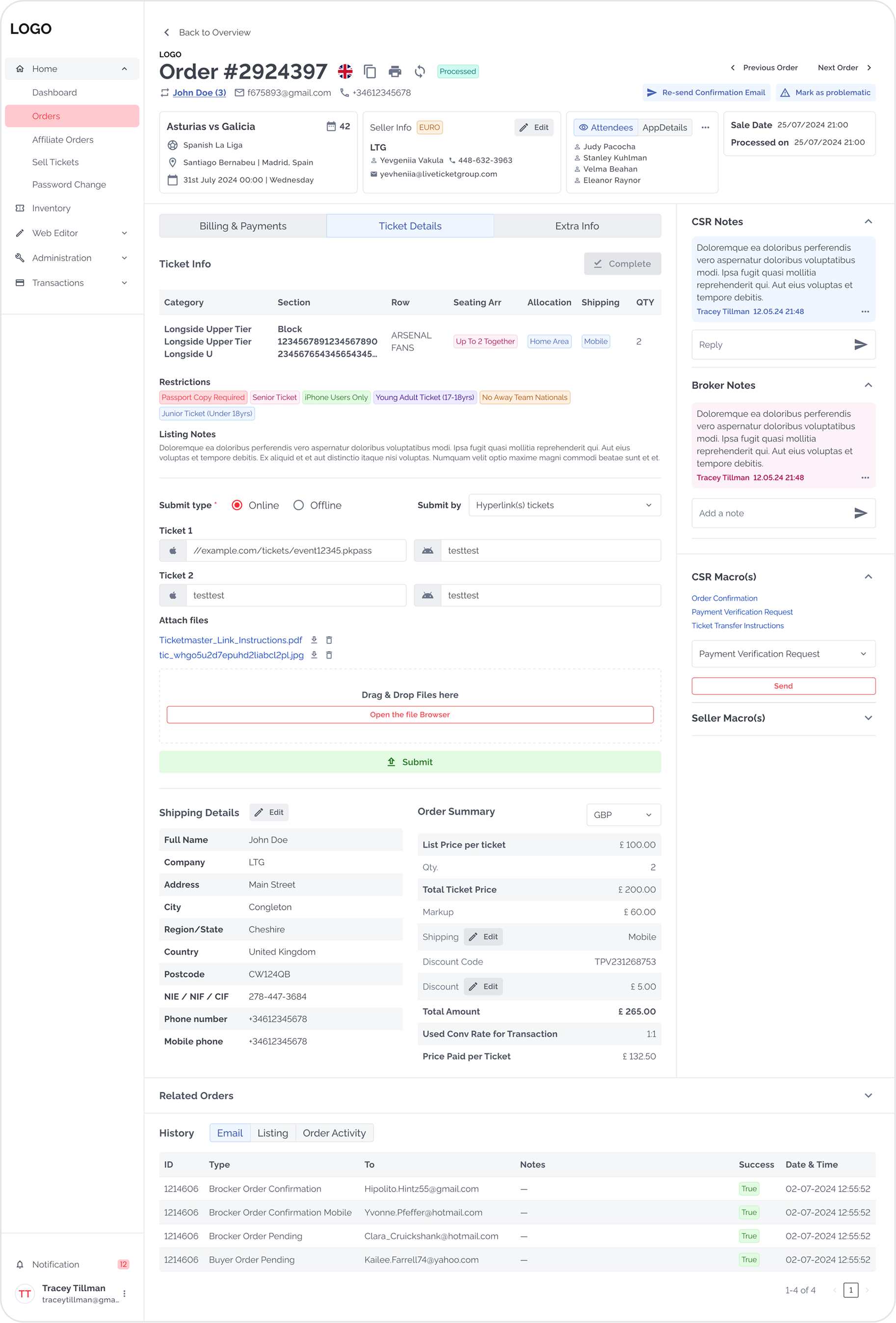
Admin View before Completion
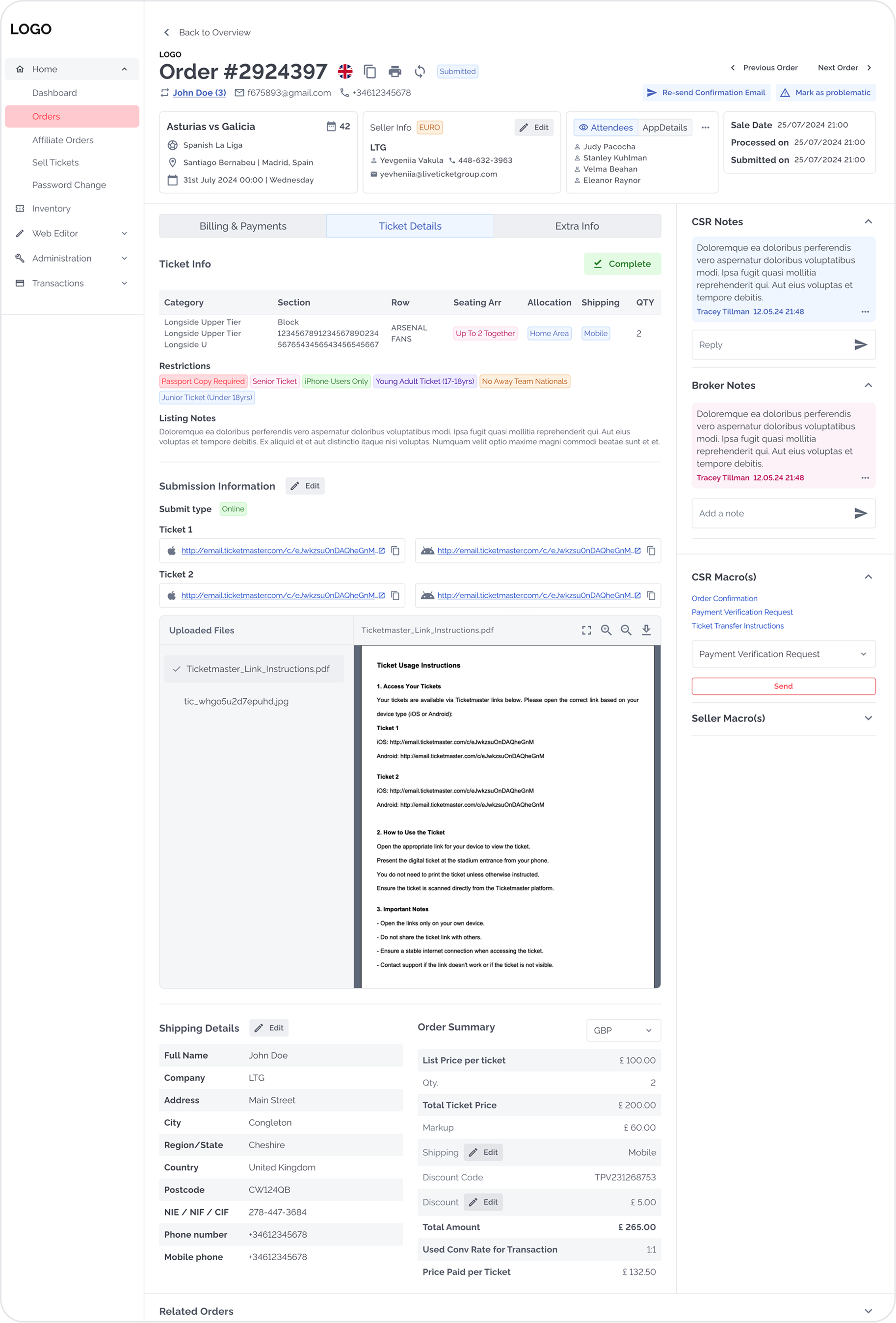
Redesigned UI Impact
Qualitative Changes
Design System
To support scalability across roles and future features, I built a Material UI-based system with the following custom patterns:
Overall Impact
within first month
Quantitative Results
Qualitative Results
Key Challenges Overcome
Legacy Backend Limitations
Negotiated with developers to find creative workarounds within technical constraints. Attended all grooming sessions to understand feasibility early.
Complex Approval Process
Built trust through incremental wins. Each successful release (5-6 iterations per feature) made stakeholder buy-in easier.
Poor Documentation
Worked without formal product documentation — reconstructed logic through stakeholder interviews, screen recordings, and direct user observation.
Solo Designer Ownership
Managed entire design process from research to handoff, collaborated across PM, dev, and BA teams, and defended decisions to stakeholders.
Why This Project Matters
This wasn't just a visual refresh—it was a fundamental rethinking of how users interact with complex data workflows. By combining user research, strategic thinking, and pragmatic problem-solving, I transformed a frustrating legacy system into an efficient platform that saved users hours every week.

