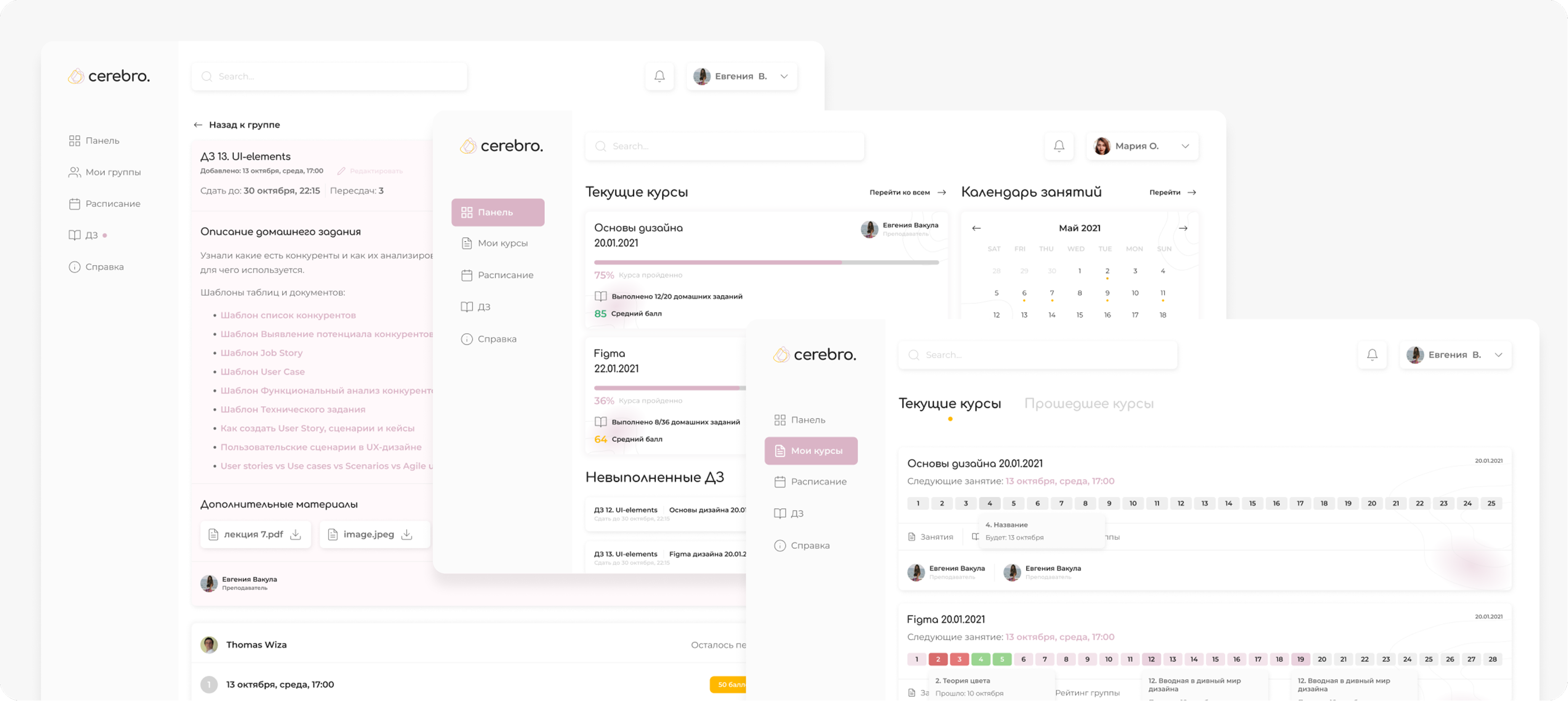
Cerebro Education: LMS for Live Design Courses
Background
After two years teaching UI/UX design at one of Ukraine's leading IT schools and working with 100+ students, I kept hearing the same request: keep learning with you. Existing LMS platforms were generic and not built for live design courses — so I designed my own. Cerebro Education was a custom platform for small-group live courses (up to 15 students), with Zoom integration, structured homework review, and role-specific experiences for both students and teachers. The longer-term plan was to license it to other instructors.
The Challenge
Design a full LMS from scratch as the sole designer while simultaneously acting as CEO, curriculum author, and brand face on social media. The platform had to serve two user types with completely different needs — students tracking progress and submitting work, teachers managing groups and reviewing homework — built by a partner team working on a future revenue-share basis with no upfront budget.
Overview
Product Designer
Founder (CEO)
June 2021 – February 2022 (9 months)
EdTech / Online Education (Ukraine)
Me (Product Designer + CEO), 1 Frontend Developer, 1 Backend Developer, 2 SMM Consultants
My Design Process
As founder and product designer, I led the end-to-end platform design from user research through prototyping, balancing student learning needs with instructor workflow efficiency while building and coordinating a remote development team.
Research & Discovery
Instead of formal personas, I leveraged two years of direct teaching experience with 100+ students — supplemented by ~5 targeted interviews to validate key assumptions.
- Frustrations with existing LMS homework flows
- How they tracked progress and understood feedback
- Likes and dislikes from platforms like Coursera and Skillbox
Homework review felt opaque — students didn't know where their work stood. Re-submission flows were confusing across all platforms. Teachers lost time managing homework logistics without a centralized view. Live session links were disconnected from course content and recordings.
Define
Mapped two distinct role needs: students needed progress clarity and seamless session access; teachers needed a centralized action view — unchecked homework and upcoming sessions front and center. I then scoped all screens, flows, and states before moving to design.
Design
All UI/UX was handled solo: information architecture, user flows, high-fidelity screens, and the Cerebro visual identity. ~50–60 screens total. The aesthetic was intentionally minimal and light — clean layouts that don't compete with learning content.
Design Solutions
Through user interviews and competitive analysis, I designed key platform experiences that would differentiate our LMS and support live design education:
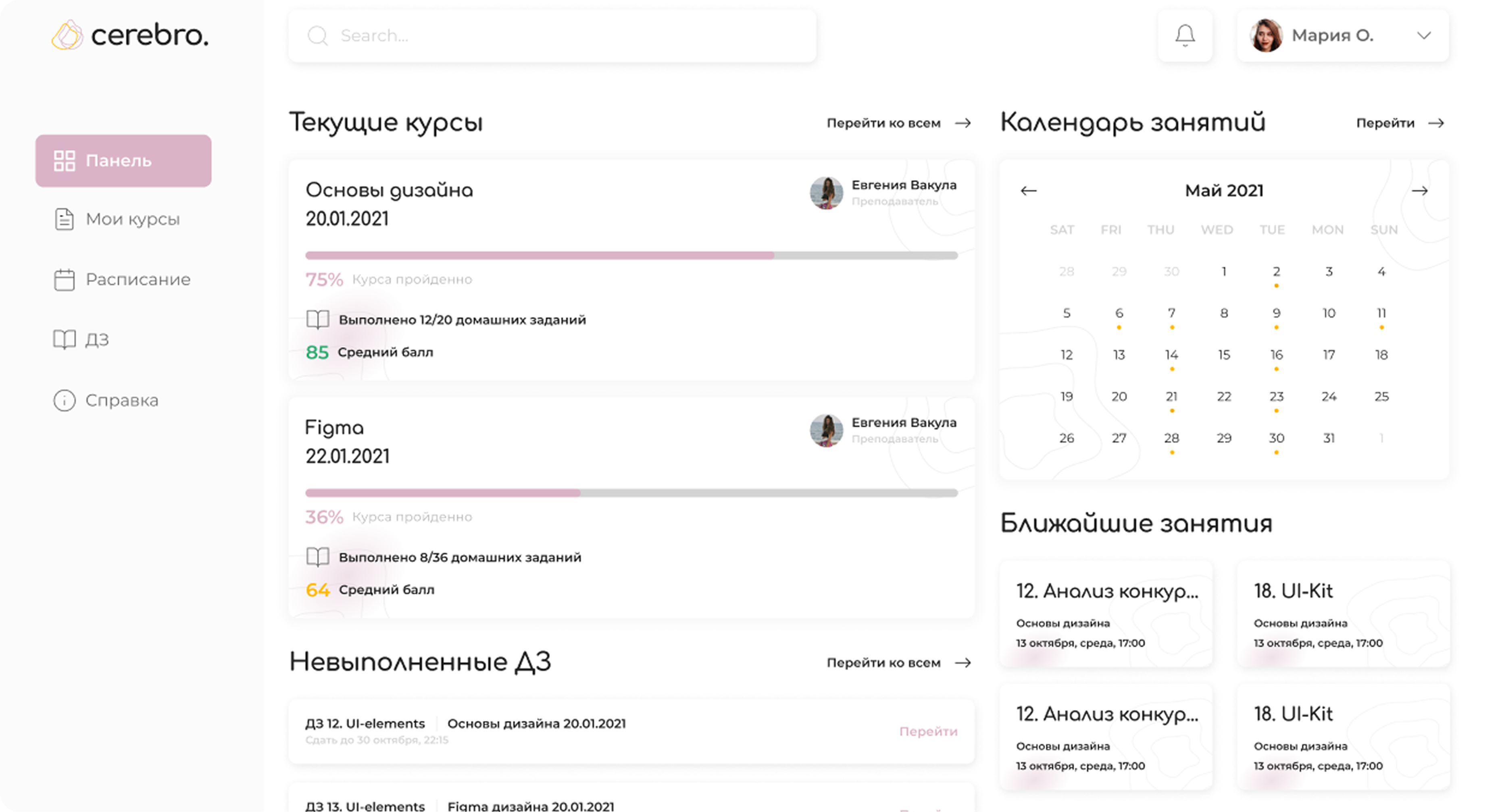
Dashboard

Active courses with completion %, homework progress, average score, and a session calendar — full picture without digging into individual courses.

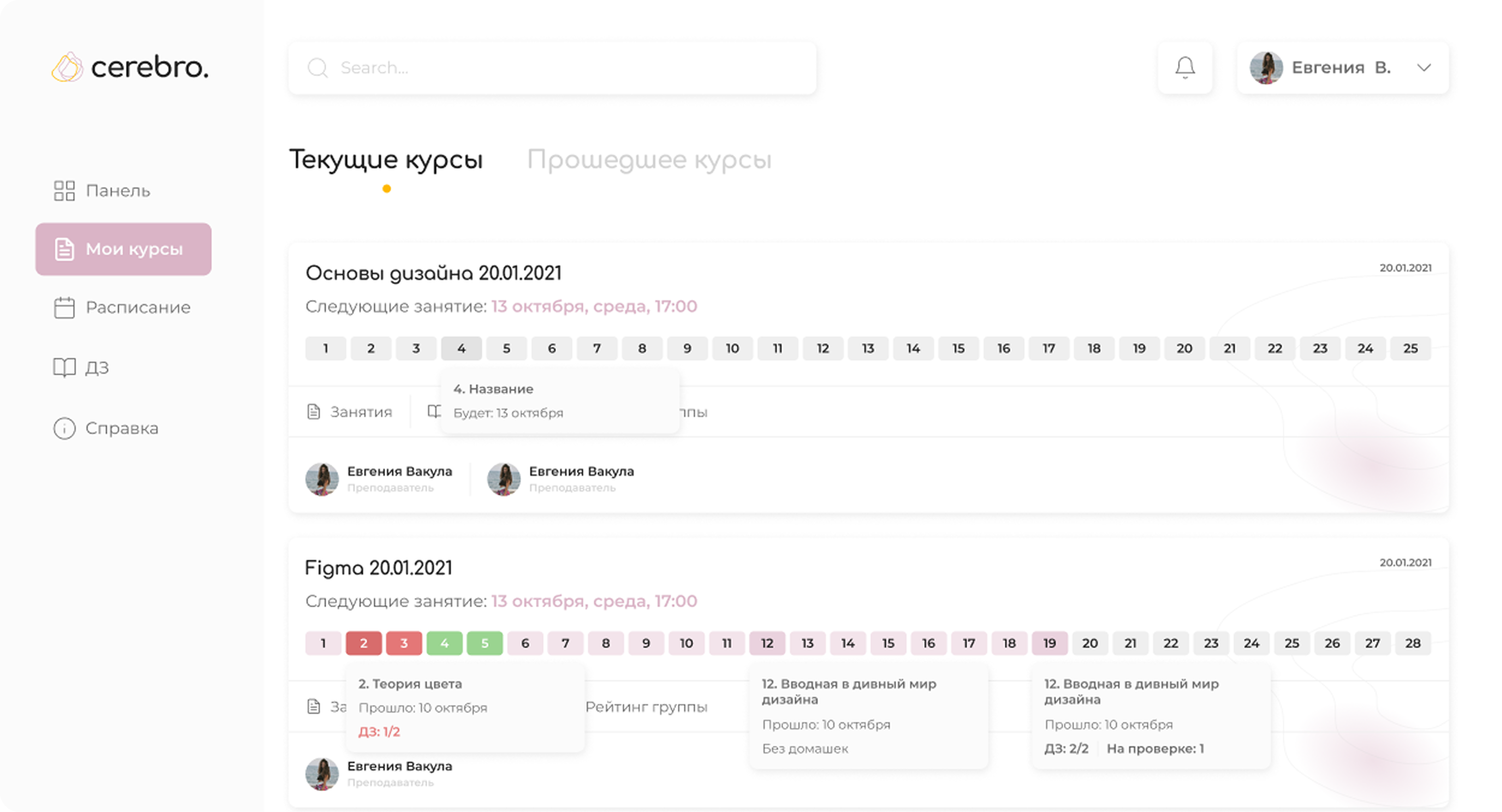
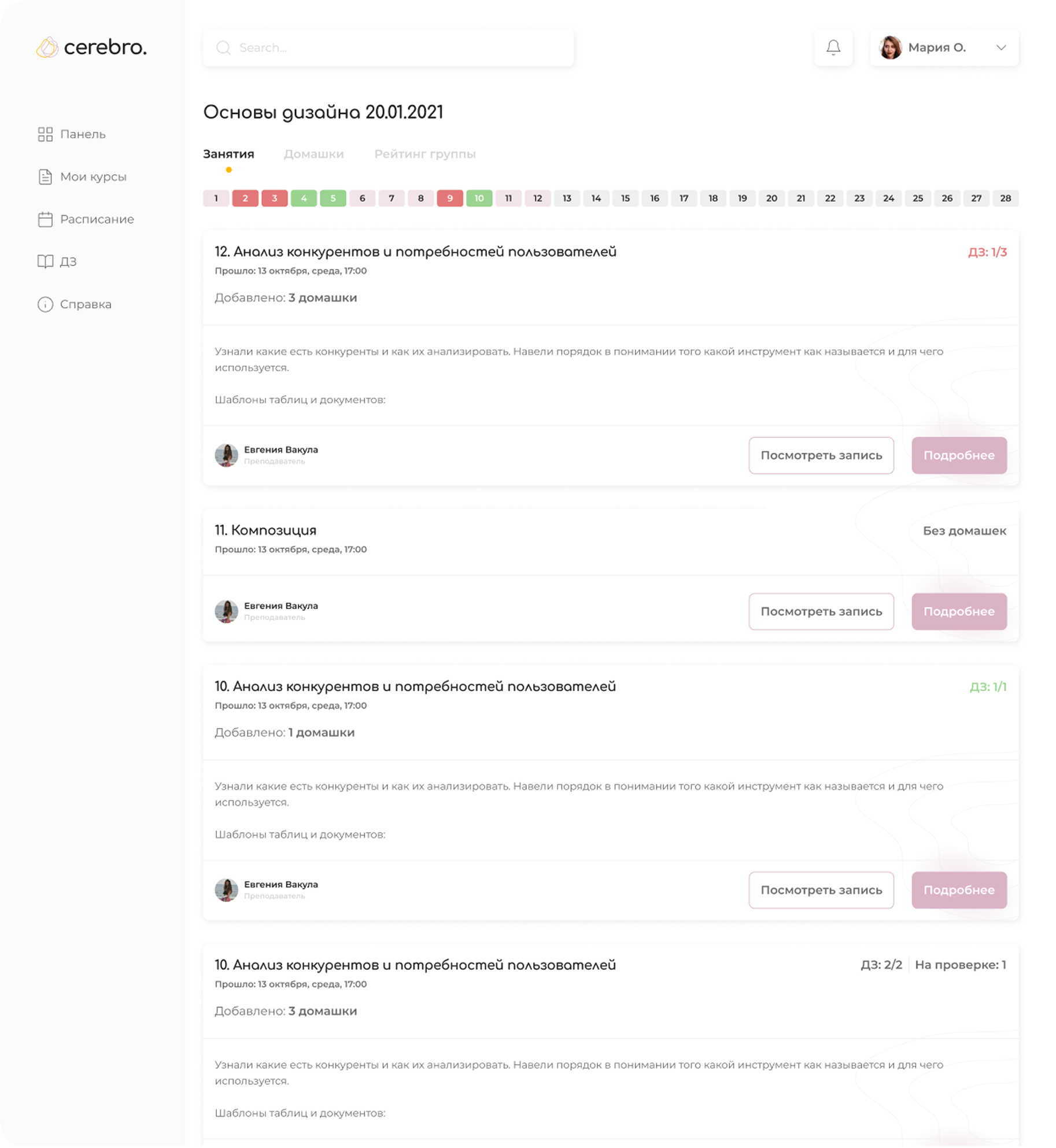
Lesson Navigation
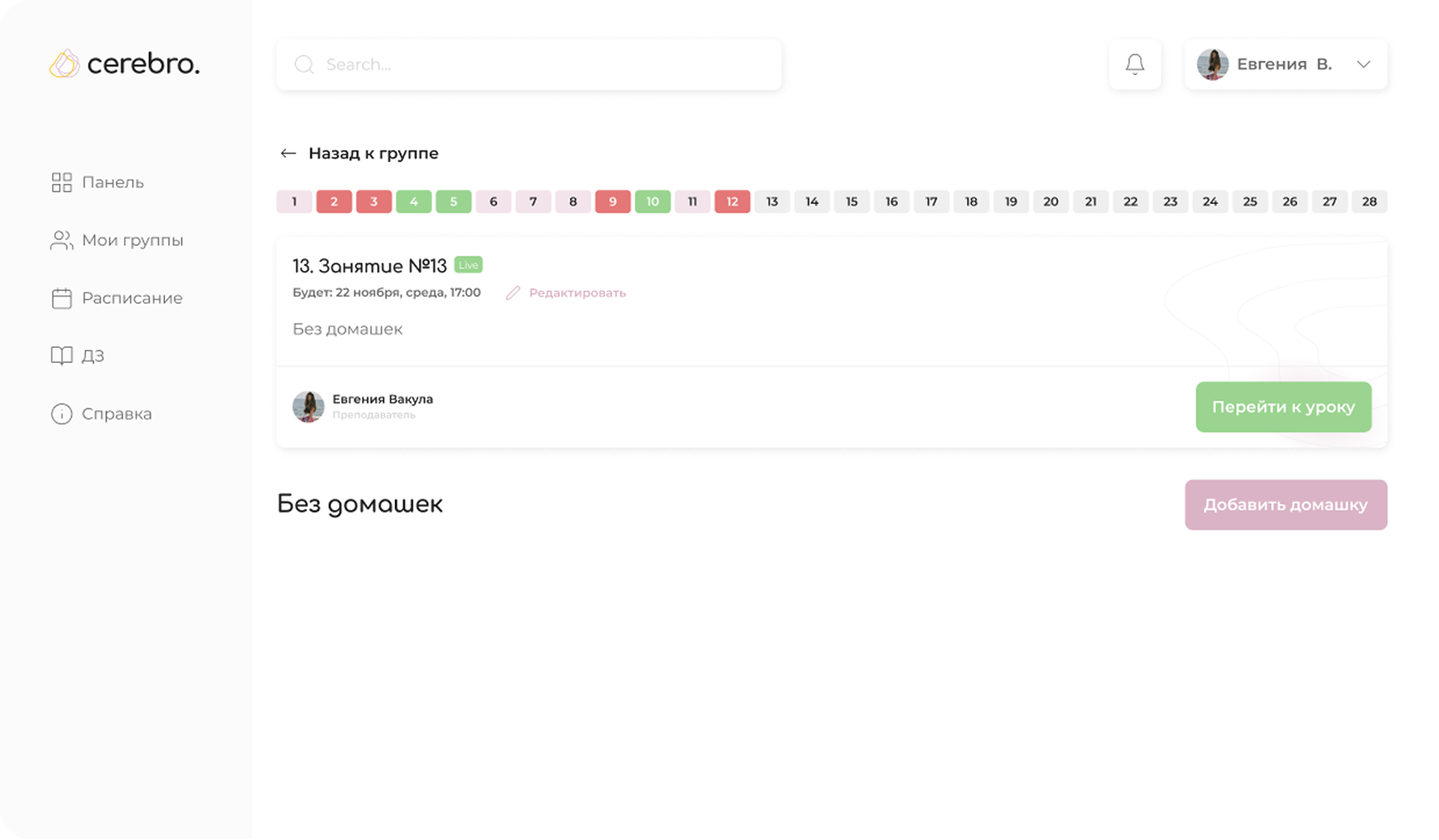
A numbered lesson strip with color-coded status (done / pending / upcoming) and hover tooltips showing lesson name and homework state.
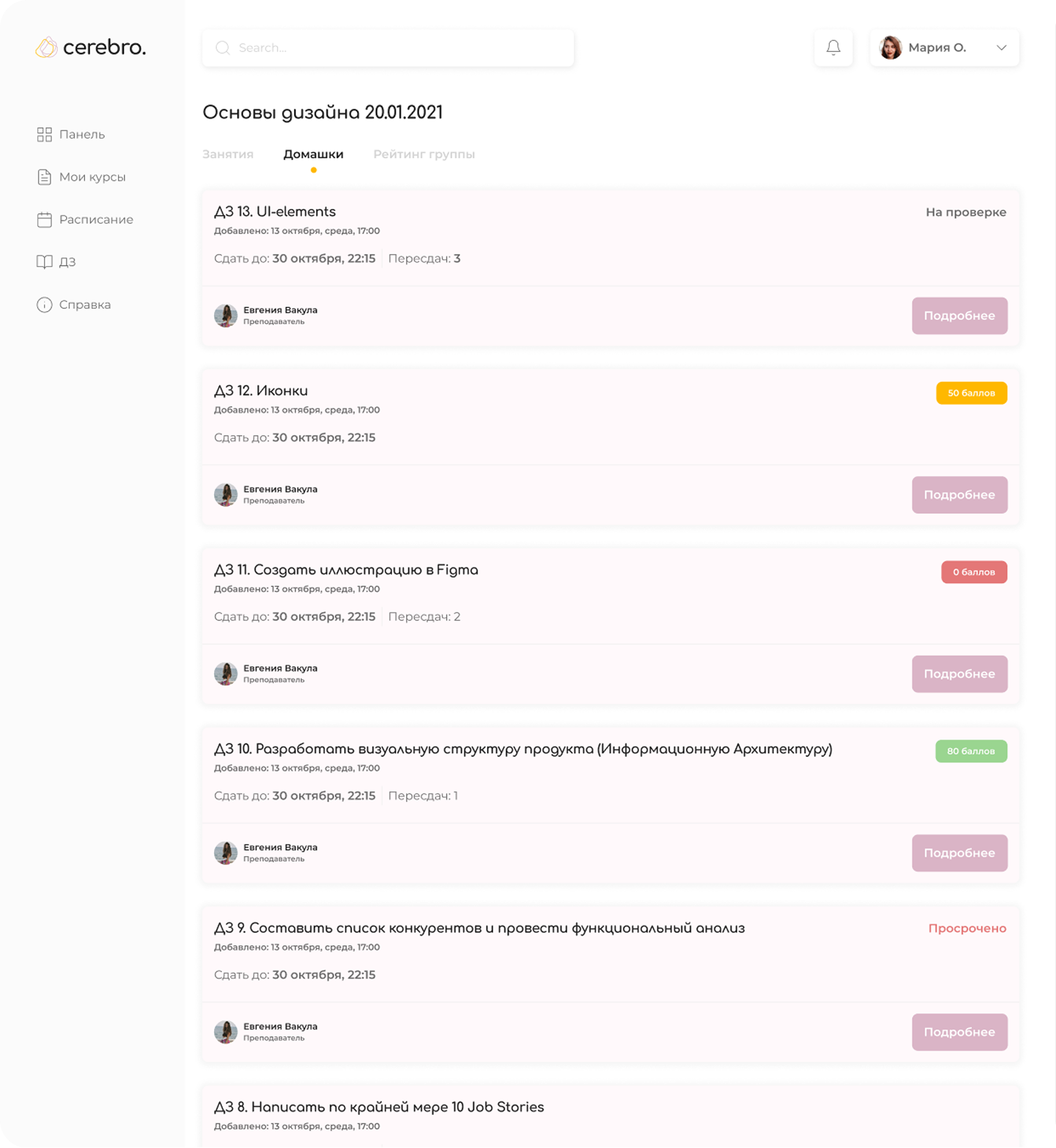
Homework Flow

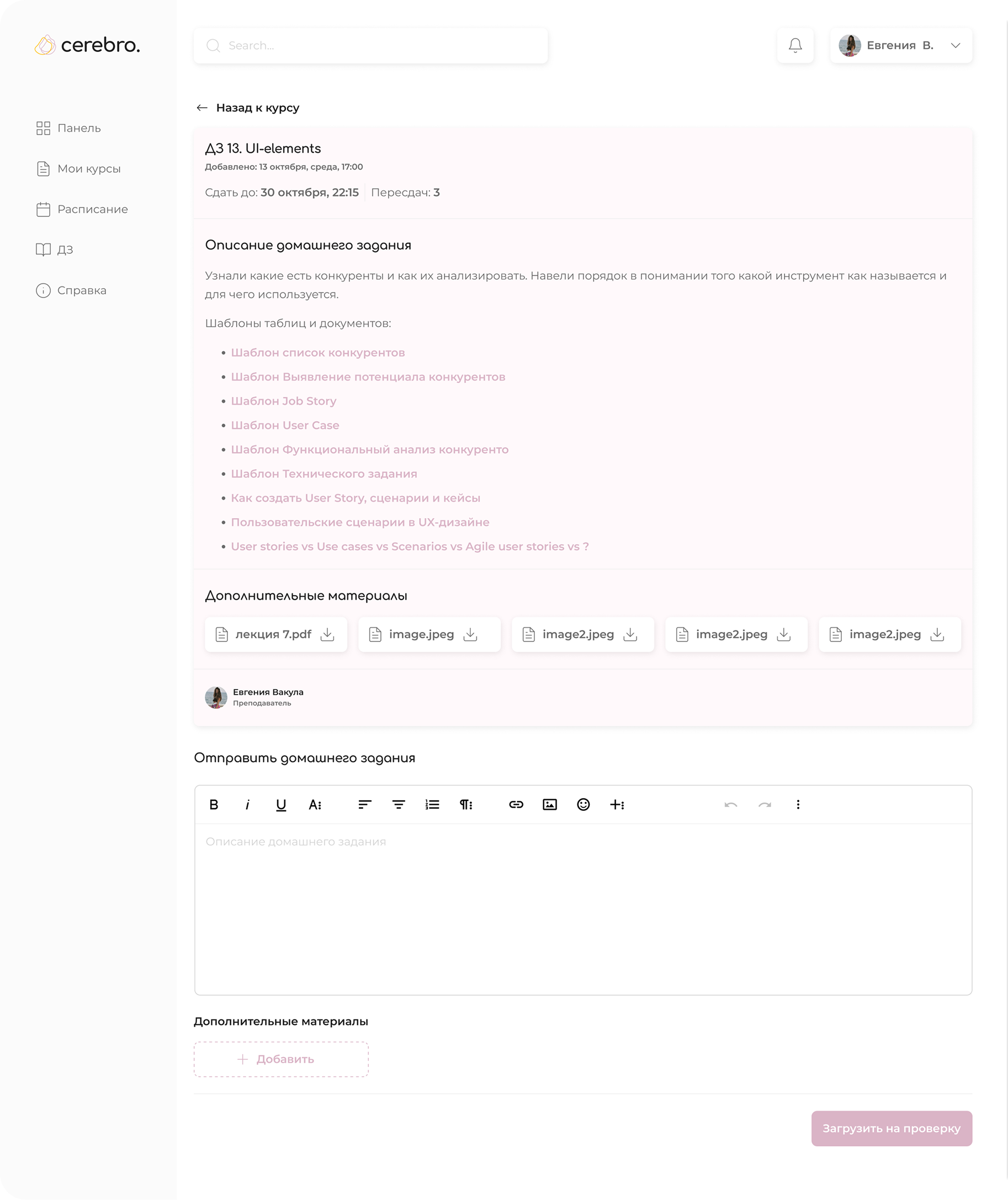
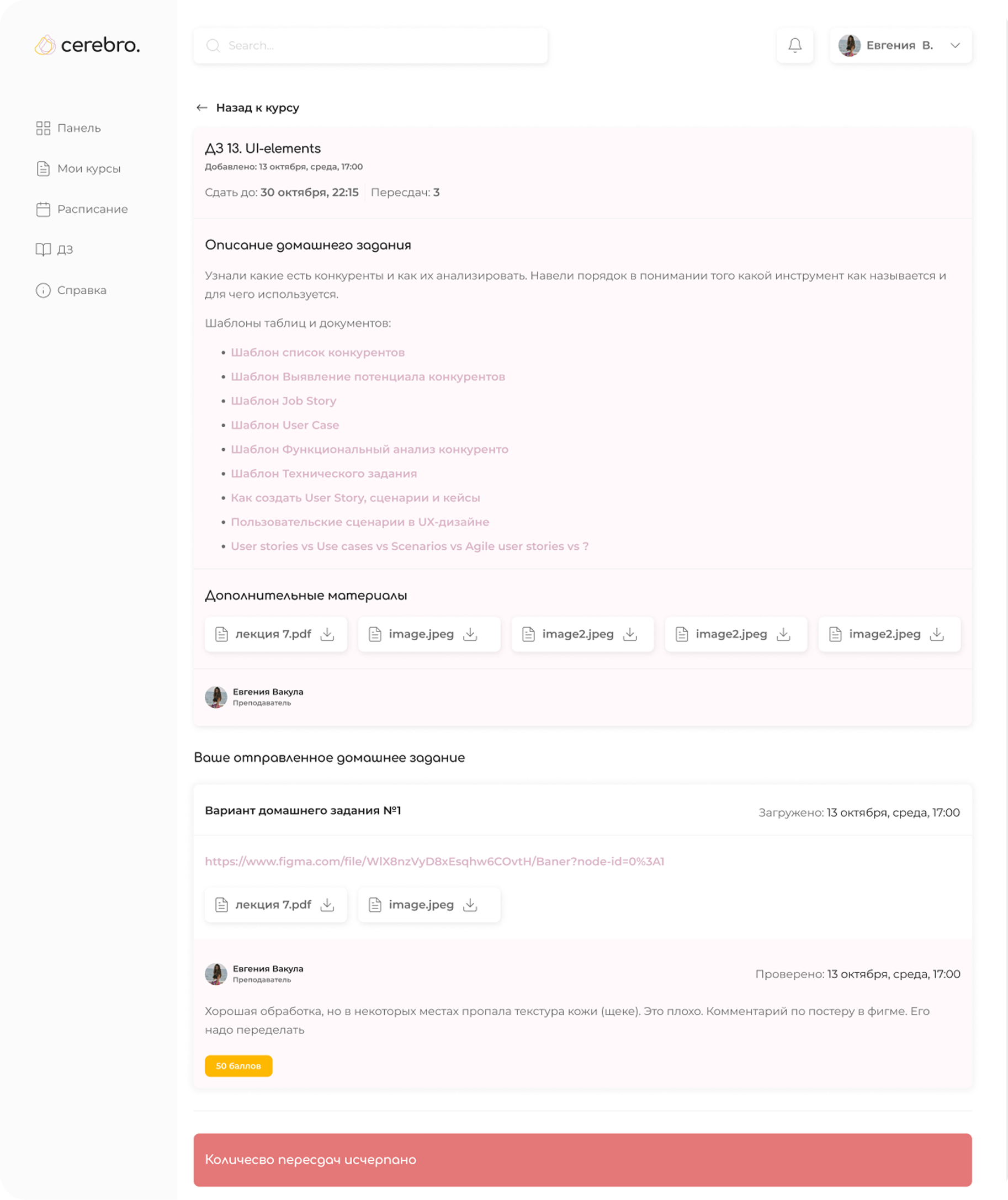
Rich-text submission with full attempt history, teacher comments, and scores visible per attempt. Re-submission form appears below feedback with remaining attempts shown upfront. When attempts run out, a clear warning replaces the form — no confusion about what's allowed.
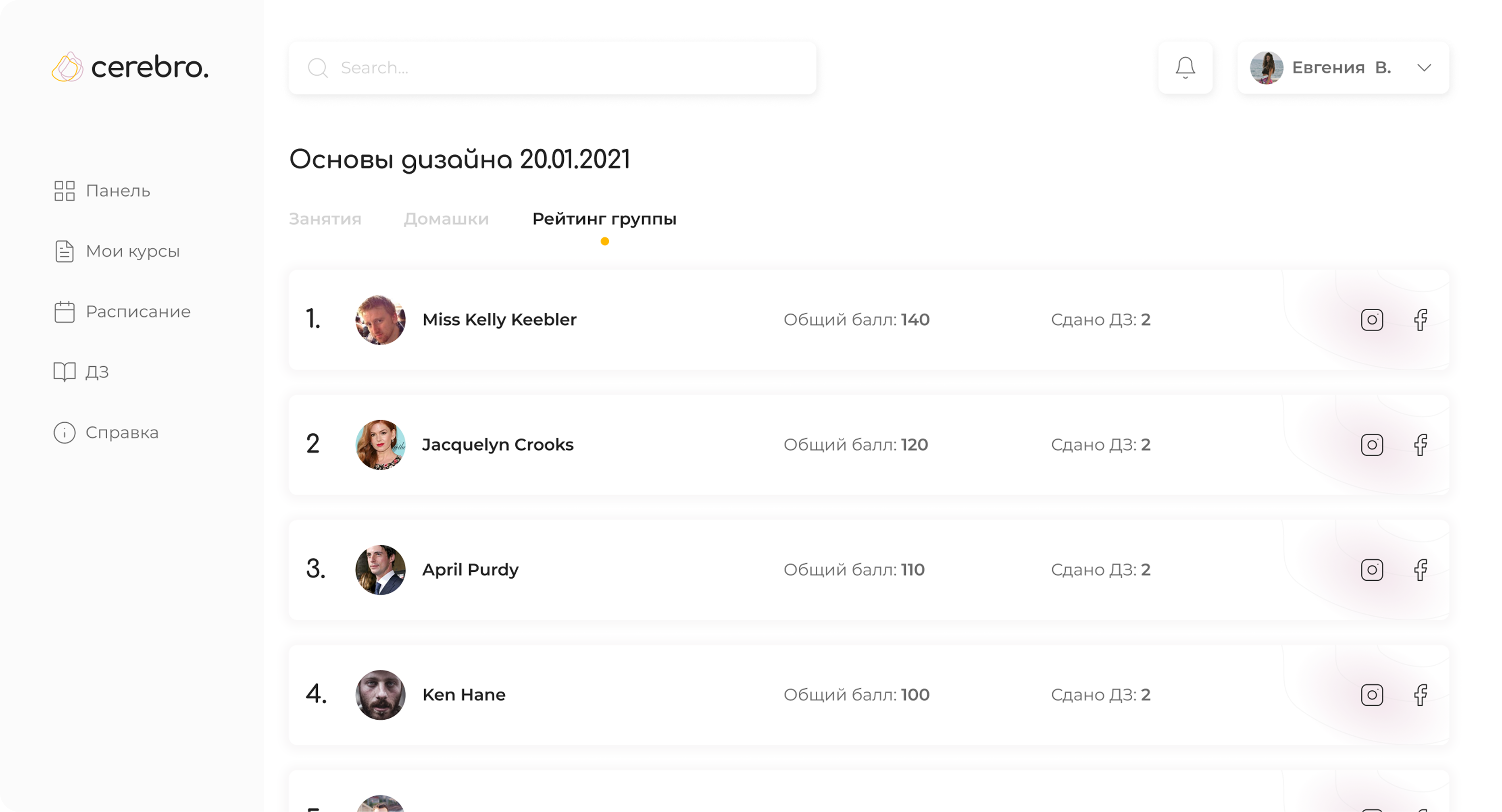
Group Ranking
Students ranked by total score and submitted assignments, with social links to connect with peers. Light competitive layer to sustain motivation.
Dashboard
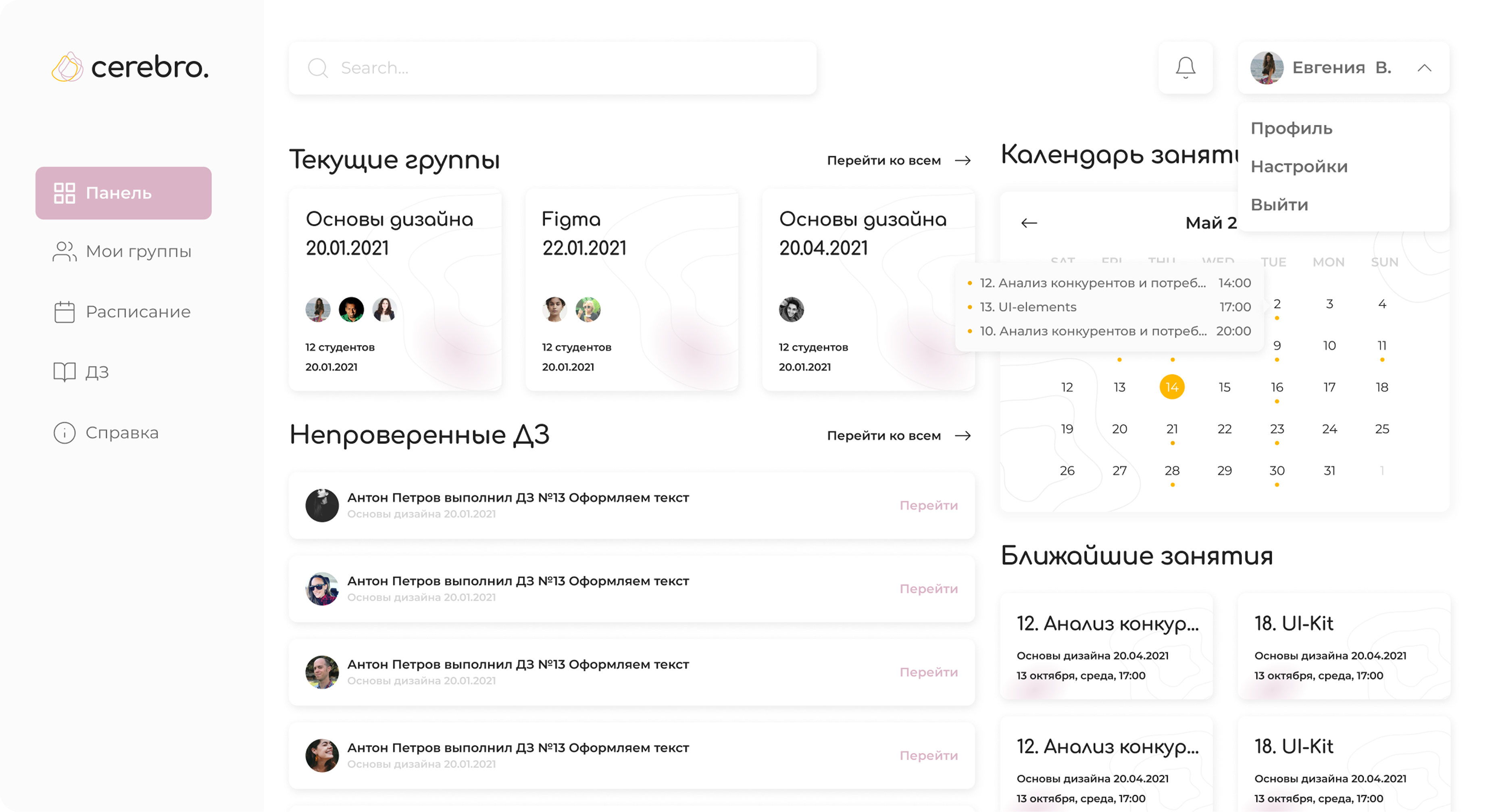
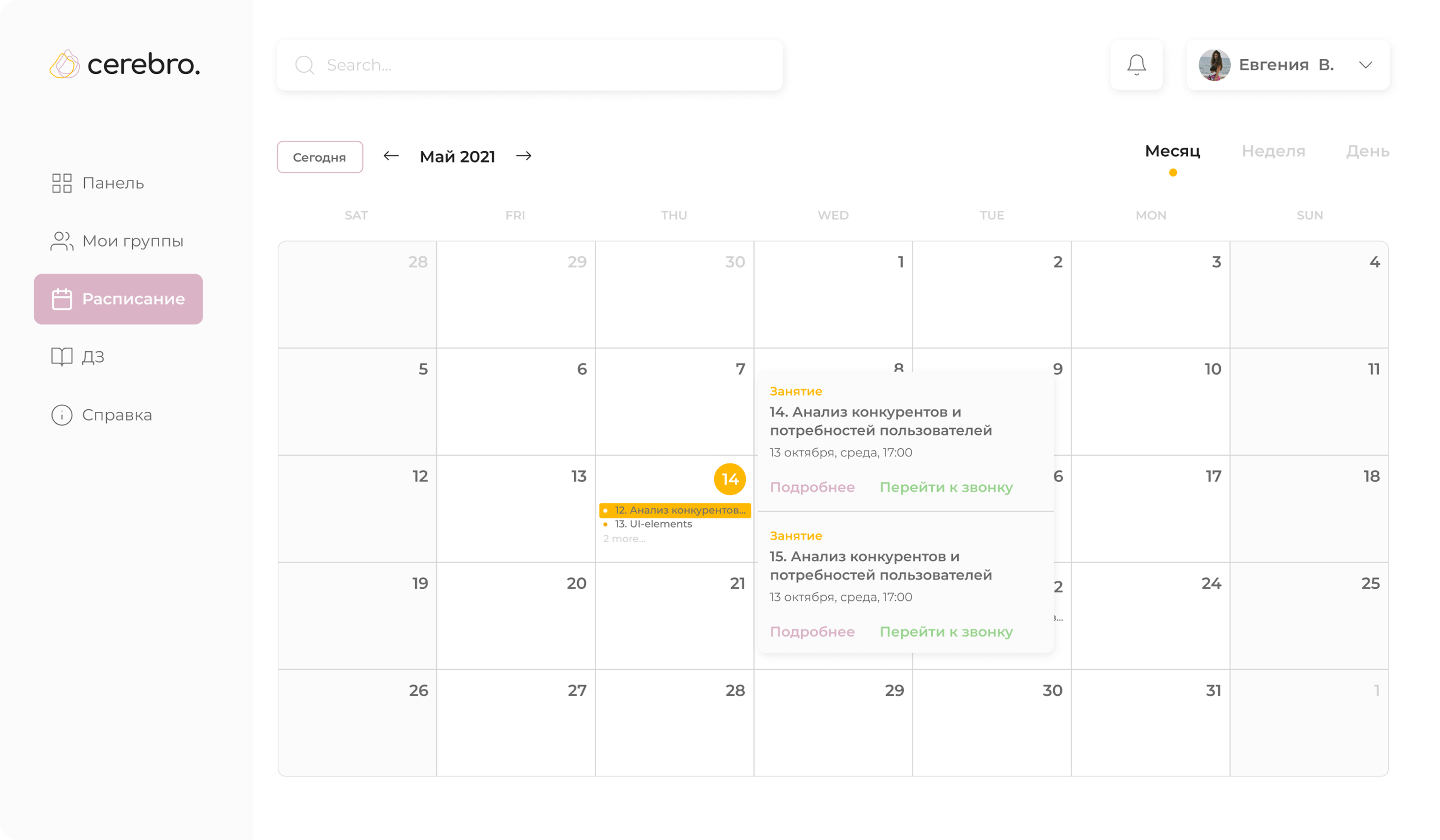
Active group cards, a live session calendar with direct Zoom entry, and a feed of unchecked homework — everything requiring action visible immediately.
Homework Review
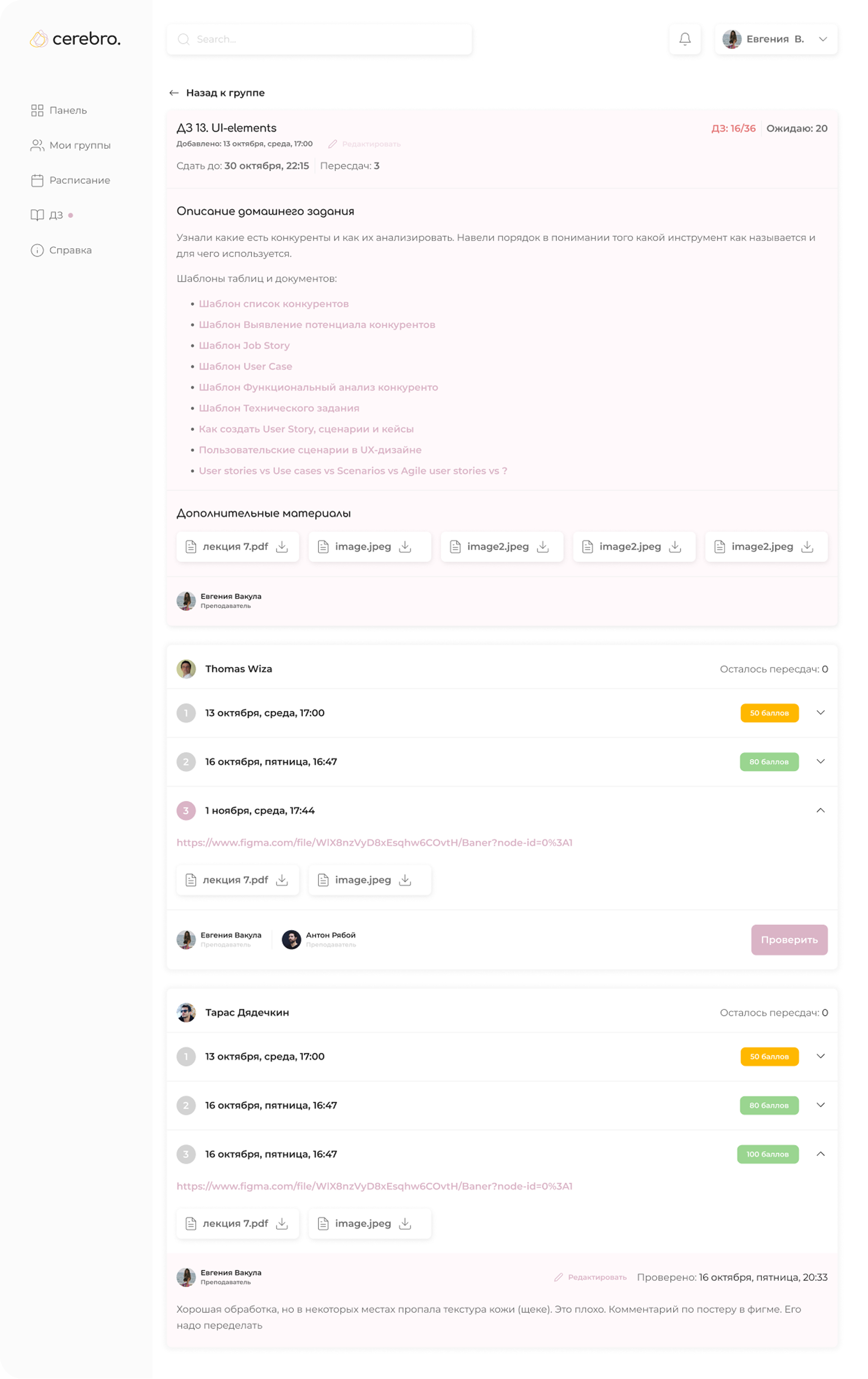
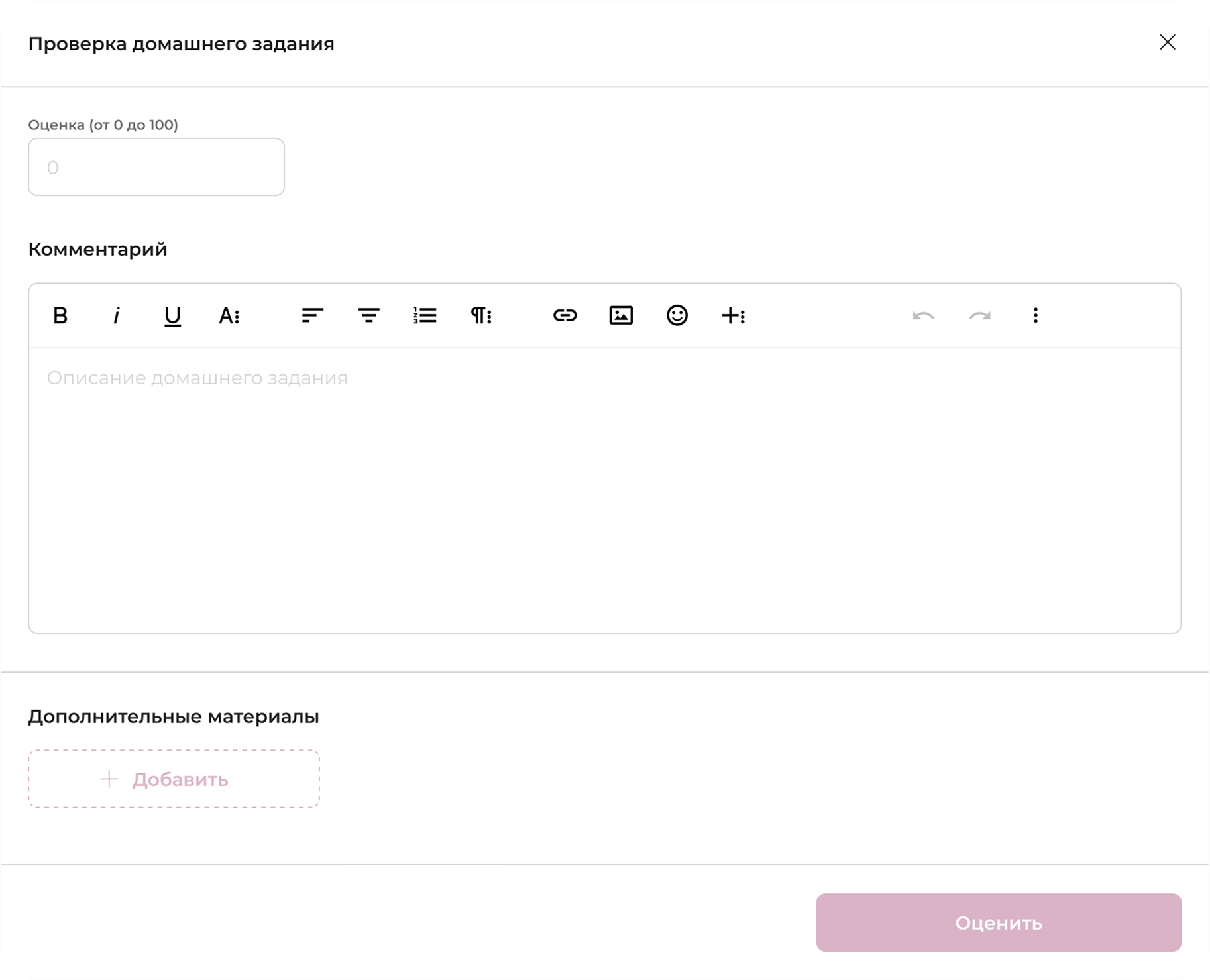
Centralized queue across all groups, filterable by unchecked/checked. Each assignment shows every student's full attempt history — expandable with files, Figma links, and inline grading modal. Review multiple students sequentially without context switching.
Lesson Management
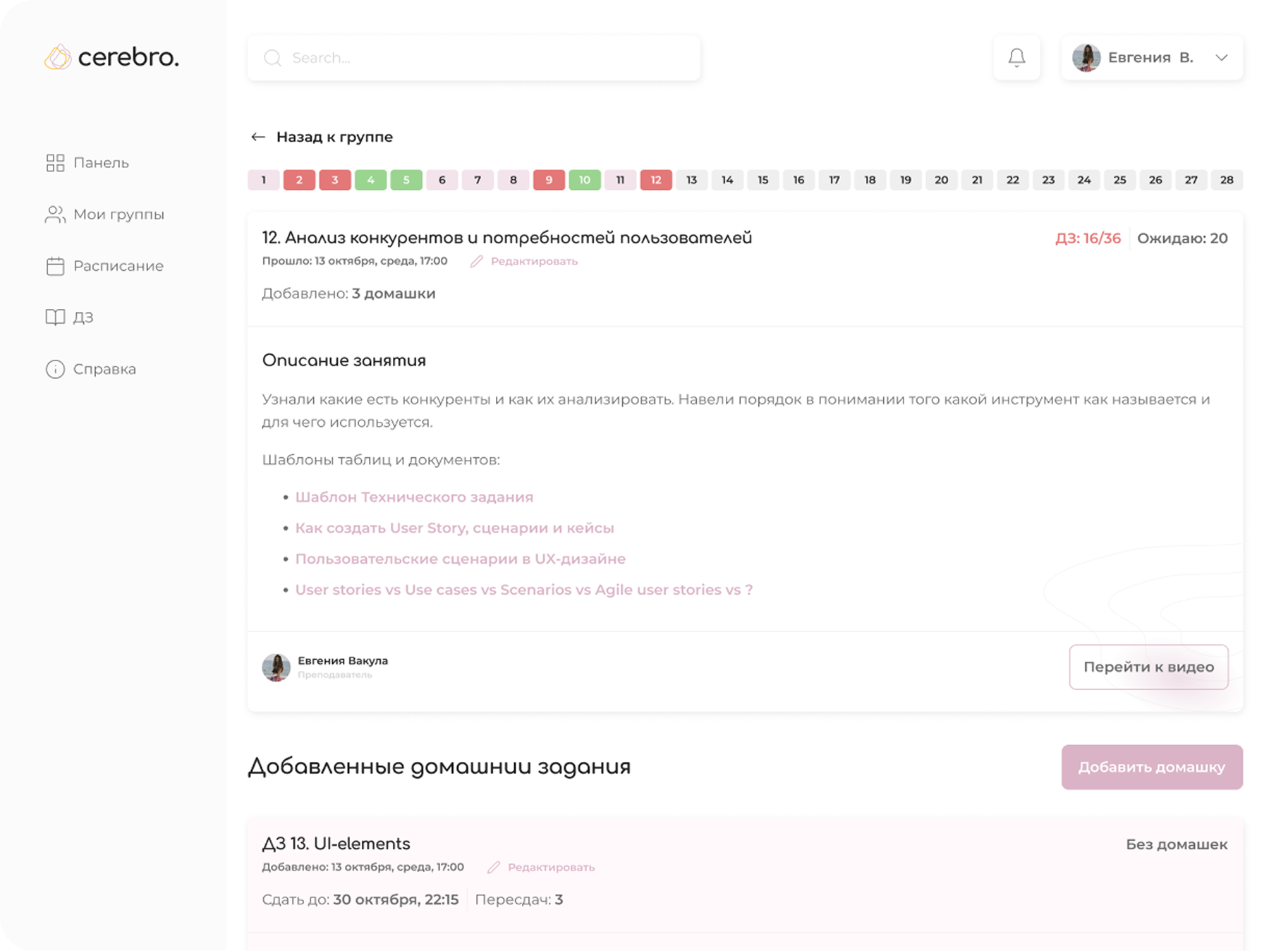
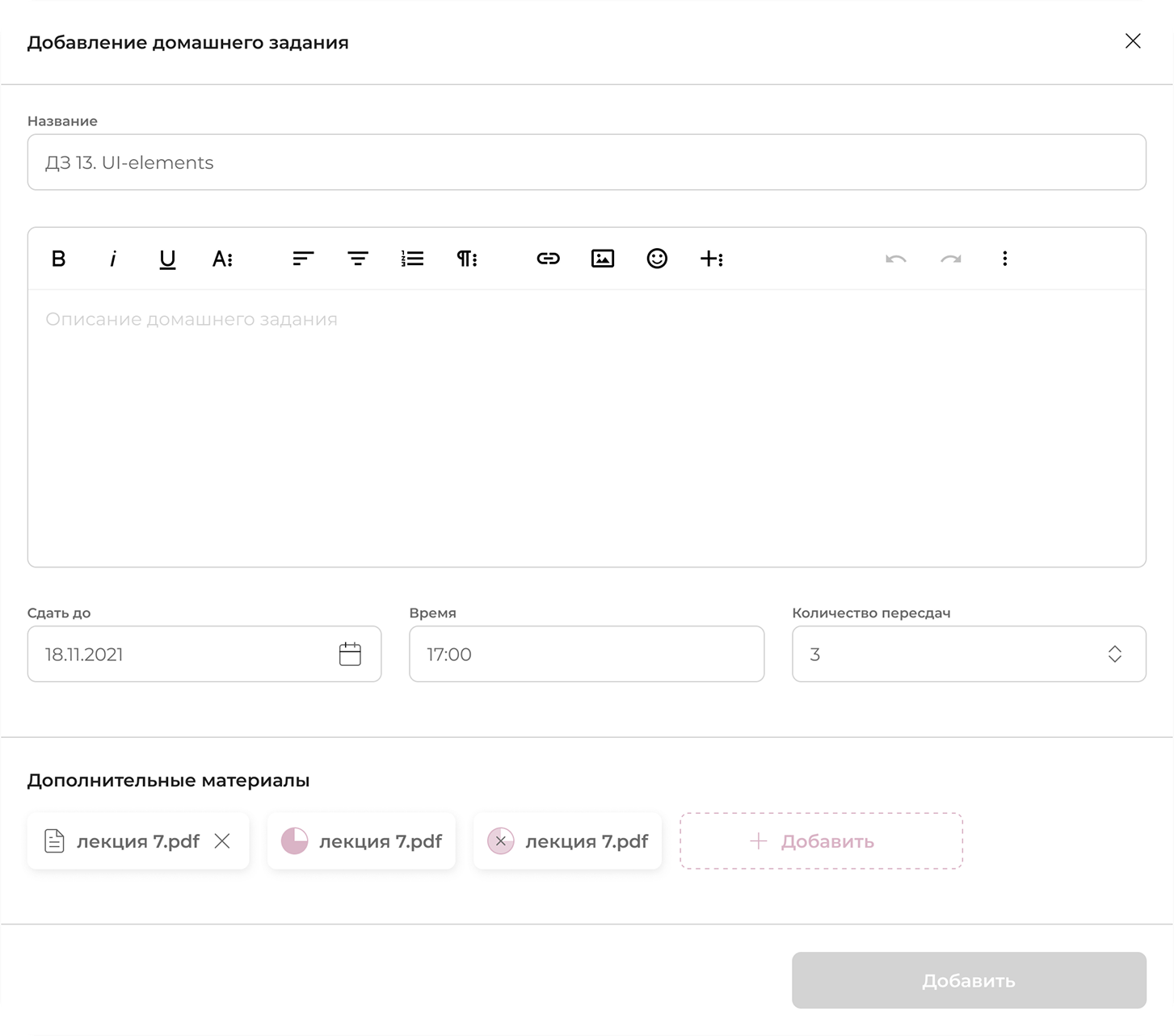
Add homework via modal (title, description, deadline, re-submission count, attachments). "Go to lesson" button activates automatically at session time, redirecting directly into the Zoom room. Post-session, recordings with timecodes are uploaded to the lesson page — full learning journey in one place.
Key Design Decisions
Homework re-submission
Design learning is iterative. I built re-submission as a first-class flow with visible attempt counters, structured feedback history, and full transparency for both student and teacher.
Role-specific information hierarchies
Student dashboard = progress-first. Teacher dashboard = action-first. Two different architectures, one unified design system.
Zoom integrated into the learning flow
No external links. Session access lives inside the lesson page. After the session, recording and timecodes live on that same page — one coherent experience.
Running the Startup
In parallel with design I was writing the first course curriculum, managing two developers with twice-weekly syncs, and building a personal brand on social media with SMM support. First cohorts were intentionally small — up to 15 students — to allow individual attention during live practice sessions. Interested students were already lined up before launch.
The hardest challenge throughout all of this was sustaining developer motivation over 9 months without a shipped product. In hindsight: smaller MVP, faster launch, iterate after first paying cohort.
Outcome
Full high-fidelity design (~50–60 screens) and UI kit delivered and handed off. Backend fully built and frontend well advanced — the platform was close to launch. Launch was interrupted by Russia's full-scale invasion of Ukraine in February 2022.
By the time I was ready to revisit the project, the market had shifted. Online education had matured around simpler delivery formats — and the window for a custom-built LMS had narrowed. If starting over today, I'd run courses through Telegram and Zoom — faster to launch, no platform dependency — and invest the saved time into content and community instead.
Core competencies demonstrated
From brand identity and design system to complete role-specific UI for students and teachers
Owned product, team, marketing, and curriculum simultaneously
Interviews and deep domain expertise shaping decisions
Multi-state homework flows, role-based dashboards, live session integration
Managing developers and SMM without formal authority or budget
MVP scoping, licensing model, go-to-market planning

